
Black Forest Labs · 2026 年 10 月 15 日发布 · Nano AI 已上线
FLUX.3 Klein 在线版:不用显卡,也能生成和编辑图片
在浏览器里直接运行 Black Forest Labs 新推出的开放模型 FLUX.3 Klein:支持文生图,也能用最多 5 张参考图编辑,每张图 4 积分。模型下载、显存需求和 ComfyUI 部署方法在页面下方。
结果画板


生成的不同方案会出现在这里。
- 开发方
- Black Forest Labs
- 发布时间
- 2026年10月15日
- 本站价格
- 每张 4 积分
- 页面更新
- 2026年10月20日
信息来源: bfl.ai
FLUX.3 Klein 是什么?
FLUX.3 Klein 的正式名称是 FLUX 3 Image Klein,是 Black Forest Labs FLUX 3 系列中开放权重的成员,于 2026 年 10 月 15 日发布,比闭源的 FLUX 3 Image 晚两周。它用一个 5.6B 参数的模型同时完成文生图、最多 10 张参考图的编辑,以及用边界框排布版面,最高输出 4K。
它有两个版本:蒸馏版 Klein 只需 16 步,不用 CFG;Klein Base 需要 50 步,主要用于微调。另外还有一个 9B 的提示词扩写器(prompt upsampler),由 Qwen3.5-9B 微调而来,能把简短的提示词改写成模型训练时用的那种详细描述。Black Forest Labs 表示,不要撇开它单独使用模型。
权重采用 FLUX Kommunity License:非商业用途免费;年收入低于 500 万美元的企业可以将生成的图片用于商业用途。Nano AI 通过 API 服务商运行 FLUX.3 Klein,并开启了提示词增强,所以你不用下载 52 GB 的文件,也不需要显卡,就能用上这个模型。
FLUX.3 Klein 规格参数
- 开发方
- Black Forest Labs
- 发布日期
- 2026 年 10 月 15 日
- 参数量
- 5.6B 图像 Transformer
- 文本编码器
- Qwen3-VL-4B
- 提示词扩写器
- 9B,由 Qwen3.5-9B 微调而来(Apache 2.0)
- VAE
- FLUX.2 VAE
- 版本
- Klein(蒸馏版,16 步,不用 CFG)和 Klein Base(50 步,使用 CFG)
- 输入
- 文本、最多 10 张参考图、边界框
- 输出
- 最高 4K
- 许可证
- FLUX Kommunity License;年收入低于 500 万美元可将图片商用
- Black Forest Labs API
- 每张 1K 图 $0.009
- 在 Nano AI 上
- 1K 输出,最多 5 张参考图,每张图 4 积分
如何在 ComfyUI 中运行 FLUX.3 Klein
ComfyUI 于 2026 年 10 月 15 日在 0.41.0 中加入了原生支持。请使用 0.41.3 或更高版本:发布当天的模板设置在之后做了修正。权重需要申请访问(gated),所以要先在 Hugging Face 上接受许可证。
- 1
更新 ComfyUI
用 git 安装的先拉取更新,再重新安装依赖。ComfyUI Desktop 会自动更新;便携版用 update/update_comfyui.bat 更新。
cd ComfyUI git pull pip install -r requirements.txt - 2
接受许可证并登录
在 Hugging Face 上打开 black-forest-labs/flux-3-image-klein-comfy,接受 FLUX Kommunity License,然后在终端里用访问令牌(access token)登录。
pip install -U huggingface_hub hf auth login - 3
下载默认文件,约 17.8 GB
8 位的蒸馏模型和文本编码器、4 位的提示词扩写器,以及 VAE,直接下载到正确的文件夹:
hf download black-forest-labs/flux-3-image-klein-comfy \ diffusion_models/flux3-image-klein-int8-convrot.safetensors \ text_encoders/qwen3vl_4b_int8_convrot.safetensors \ text_encoders/qwen3.5_9b_flux3_prompt_upsampler_w4a8.safetensors \ vae/flux2-vae.safetensors \ --local-dir ComfyUI/models - 4
打开 FLUX.3 Klein 模板
在 Templates(模板)里搜索 FLUX 3 Image Klein,选择文生图或图像编辑,蒸馏版或 Base 版。文本编码器和扩写器通过 CLIP Loader 加载,type 选 flux3。
- 5
检查设置,然后运行
蒸馏版:16 步,CFG 1。Base 版:50 步,CFG 约 3.5 到 4。保持提示词扩写器开启;Black Forest Labs 表示,关掉它效果会明显变差。
FLUX.3 Klein 的 ComfyUI 模型文件
来自 Hugging Face 上的 black-forest-labs/flux-3-image-klein-comfy,接受许可证后才能下载。你需要一个扩散模型、Qwen3-VL 文本编码器、提示词扩写器和 VAE。文件大小为 2026 年 10 月 20 日页面上列出的数值。
| 文件 | ComfyUI/models 下的文件夹 | 大小 | 什么时候选它 |
|---|---|---|---|
| flux3-image-klein-int8-convrot.safetensors | diffusion_models | 5.83 GB | 默认选择:8 位的蒸馏模型;能在 RTX 3070 这类 8 GB 显卡上运行 |
| flux3-image-klein-bf16.safetensors | diffusion_models | 11.1 GB | 全精度的蒸馏模型,适合显存超过 24 GB 的显卡 |
| flux3-image-klein-nvfp4.safetensors | diffusion_models | 5.28 GB | 4 位,仅适用于 RTX 50 系列(Blackwell)显卡 |
| flux3-image-klein-base-int8-convrot.safetensors | diffusion_models | 5.81 GB | 8 位的 Klein Base,用于训练 LoRA 和做研究 |
| flux3-image-klein-base-bf16.safetensors | diffusion_models | 11.08 GB | 全精度的 Klein Base |
| qwen3vl_4b_int8_convrot.safetensors | text_encoders | 4.86 GB | 默认的文本编码器,8 位 |
| qwen3vl_4b_bf16.safetensors | text_encoders | 8.88 GB | 全精度的文本编码器 |
| qwen3.5_9b_flux3_prompt_upsampler_w4a8.safetensors | text_encoders | 6.72 GB | 默认的提示词扩写器,4 位 |
| qwen3.5_9b_flux3_prompt_upsampler_int8_convrot.safetensors | text_encoders | 9.75 GB | 8 位的提示词扩写器 |
| flux2-vae.safetensors | vae | 336 MB | VAE,与 FLUX.2 共用 |
FLUX.3 Klein 生成示例
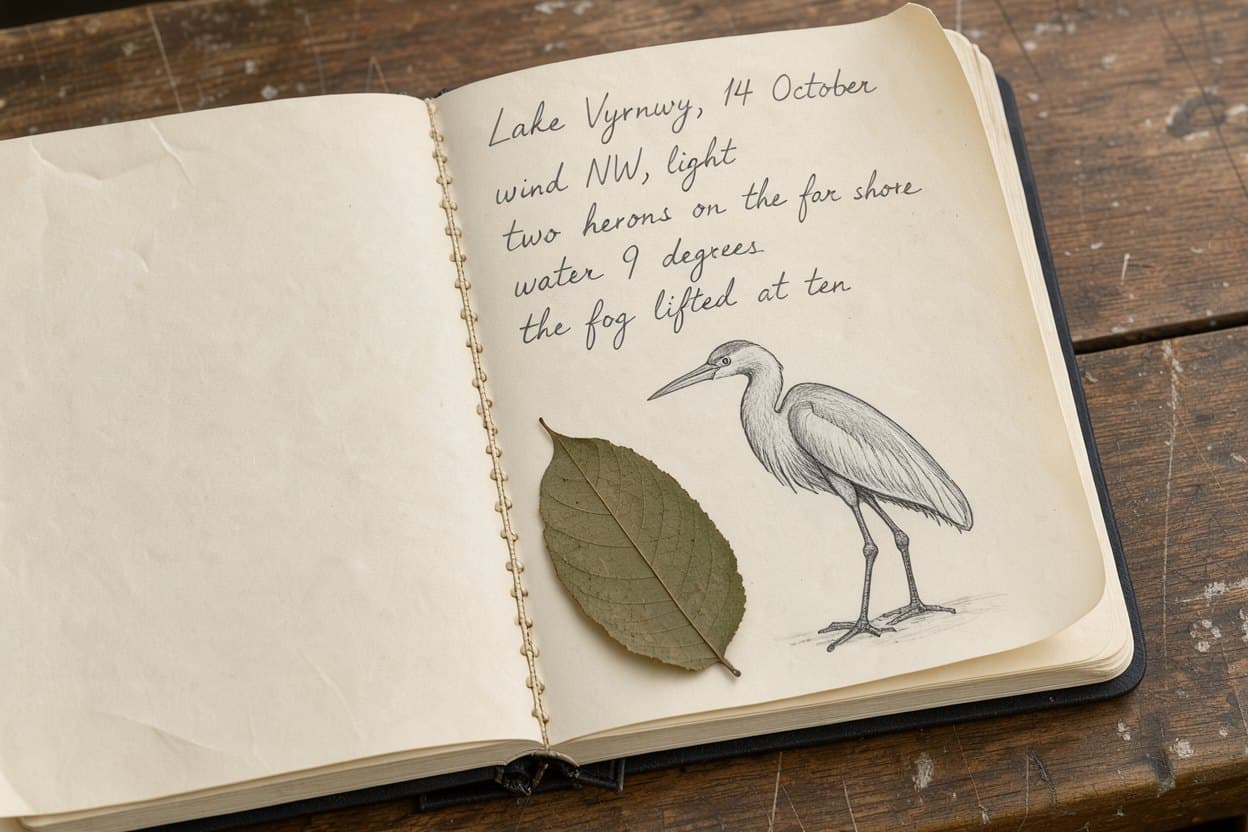
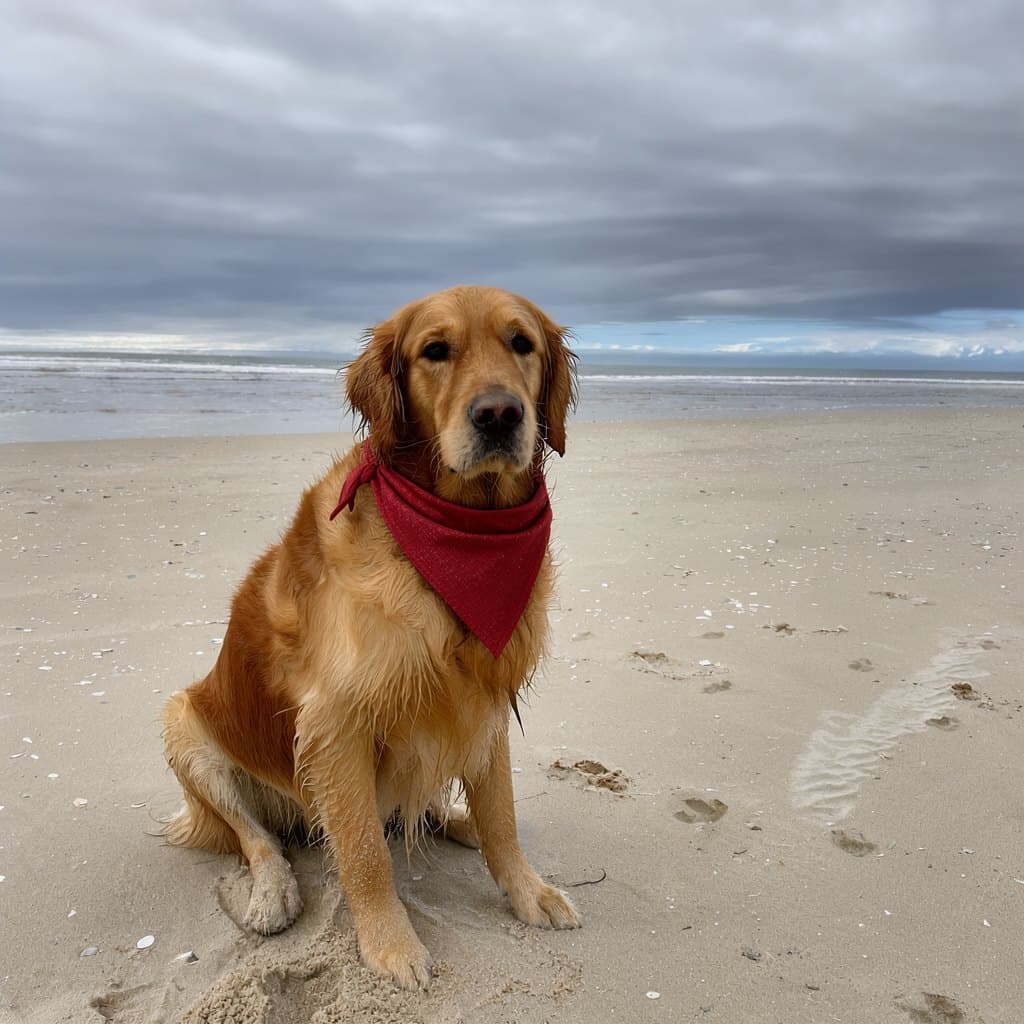
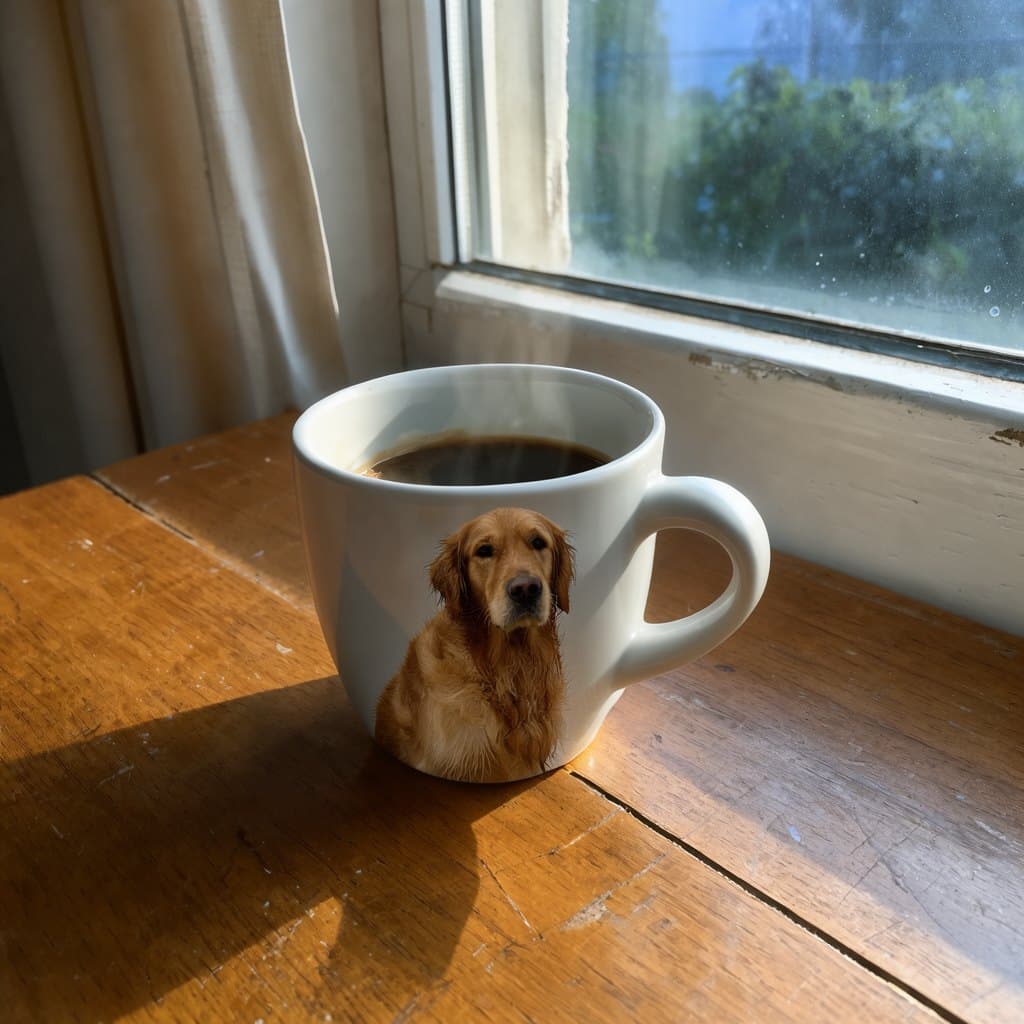
以下图片取自 Black Forest Labs 的 flux-3-image-klein 仓库里的示例,用蒸馏模型加提示词扩写器生成,没有做任何修图。每张图下方是提示词或编辑指令;三张编辑图用的参考图是仓库自带的马克杯和小狗照片。

FLUX.3 Klein 的强项,以及测试者批评的地方
改图时其余部分保持不变
Black Forest Labs 的内部 Elo 评分显示,在开放模型中,Klein 的编辑和多参考图能力排第一,比 FLUX.2 [klein] 9B 高出约 70 分。Reddit 上一位摄影师测试了 1200 万像素的编辑,对画面前后的一致性印象深刻。
长提示词也能照着画
Reddit 上有人在 200 万像素下对比了四个模型,Klein 对提示词的遵循度最好,超过 FLUX.2 Klein 9B、Qwen Image 2.1 和 Krea 2。
文字清晰可读
像上面示例里的海报、包装和手写字,只要把要出现的文字原样放进引号,就能写得清清楚楚。
用边界框排版
用框指定每个物体的位置,生成新图和编辑时都能用。
又快又便宜
16 步、不用 CFG:按 Black Forest Labs 的数据,在 RTX 5090 上用 int8 文件生成一张 100 万像素的图约需 4 秒。在 Nano AI 上,它是能编辑图片的模型里价格最低的,每张 4 积分。
短板
发布初期,许多测试者批评它文生图时人体结构、脸和手画得不好,画人物时更愿意用 FLUX.2 Klein。不用提示词扩写器时,效果会明显变差。
FLUX.3 Klein 与 Nano AI 上其他图像模型对比
积分为 Nano AI 在 2026 年 10 月 20 日的价格。参数量为各开发方自己公布的数字。
| FLUX.3 Klein | Qwen Image 2.1 | Z-Image | Nano Banana 2.1 | |
|---|---|---|---|---|
| 开发方 | Black Forest Labs | 阿里巴巴 | Tongyi Lab | 谷歌 |
| 开放权重 | 是,FLUX Kommunity License | 是 | 是 | 否 |
| 参数量 | 5.6B | 7B | 6B | 未公布 |
| 每张图积分 | 4 | 8 | 4 | 8 |
| 用参考图编辑 | 支持 | 支持 | 不支持 | 支持 |
| 首选场景 | 低成本编辑、严格按提示词排版 | 中英文文字 | 快速、低成本出草图 | 照片编辑和产品图 |
FLUX.3 Klein 下载、工作流与教程
先列官方资源,再列社区文件,全部于 2026 年 10 月 20 日核实。
如何在线使用 FLUX.3 Klein
- 1
描述你想要的画面
在本页顶部的输入框里写下提示词,模型已经选好 FLUX.3 Klein。想印在图上的文字放进引号里,再选择比例和生成数量(1 到 4 张)。
- 2
或者用参考图编辑
切换到「编辑图片」,添加最多 5 张图片(PNG、JPEG 或 WebP,每张不超过 5 MB)。用一句话说明哪些地方要改、哪些要保持不变。
- 3
生成并下载
登录后即可使用免费积分。生成前,按钮上会显示本次消耗的积分,结果保存在「我的作品」里。
FLUX.3 Klein 提示词示例
直接说清你想要什么,需要原样出现的文字放进引号,细节交给提示词增强来补。编辑时,一句简短的指令效果最好。
产品标签
a tea tin, dark green enamel: 'HIGHLAND BREAKFAST' in gold caps on the front, 'Assam and Ceylon leaf' beneath, 'est. 1884' in a roundel, and on the side in small white type 'Brew for four minutes. One spoon per cup and one for the pot.', hard side light, product photograph
凸版印刷海报
a letterpress poster on cream paper: 'NIGHT MARKET' very large at the top, 'Fridays 6pm to midnight' below it, a simple illustration of paper lanterns, two inks, black and red, nothing else written
微缩场景
an isometric miniature of a rainy harbour town at dusk, tiny fishing boats, warm window lights, tilt-shift look, no people
早餐照片
top-down photograph of a breakfast table: a white ceramic mug of coffee, a croissant on a linen napkin, morning window light, no people
编辑:添加一个物体
put a small potted cactus next to the mug and keep everything else the same
编辑:合并两张图
print the pattern from the second image onto the tote bag in the first image, following the folds of the fabric
FLUX.3 Klein 使用问题与解决办法
发布后头几天大家遇到的问题。
- 图片平淡、缺少细节
- 提示词扩写器没开。在模板里把它打开;模型训练时用的就是它写出的那种描述。
- 下载时出现 403 或 gated repo 错误
- 用同一个账号在 Hugging Face 模型页上接受许可证,然后重新运行 hf auth login。
- CLIP Loader 里没有 flux3 类型
- 你的 ComfyUI 版本低于 0.41.0。更新 ComfyUI,重新安装依赖,然后重启。
- 显存不足
- 使用 int8 的模型和文本编码器,搭配 4 位扩写器,并用 --lowvram 启动 ComfyUI。在 8 GB 显卡上,每张图大约要一分半钟。
- NVFP4 文件加载不了
- NVFP4 需要 RTX 50 系列或其他 Blackwell 显卡。较旧的显卡请用 int8 文件。
- ComfyUI 仓库里没有 fp8 文件
- fp8 版本只在 Diffusers 仓库里。在 ComfyUI 中请用 int8,Blackwell 显卡也可以用 NVFP4。
- Base 版效果不如蒸馏版
- Base 需要 50 步、CFG 约 3.5 到 4;只跑 16 步、CFG 1 时,图还没画完。
- 手和脸画得不对
- 这是发布时就已知的短板。保持扩写器开启并试试 2K,或者用编辑功能修正那块区域。画人像的话,Qwen Image 2.1 和 Nano Banana 2.1 更稳妥。
常见问题
FLUX.3 Klein 常见问题
关于这个模型、如何在本地运行,以及如何在 Nano AI 上使用的简要解答。
FLUX.3 Klein 免费吗?
权重可以免费下载,用于非商业用途也免费;年收入低于 500 万美元的企业可以将图片商用。在线使用的话,Black Forest Labs 的 API 每张 1K 图收费 $0.009。在 Nano AI 上每张图 4 积分,新账号在大多数地区可获得 16 个免费积分,够生成 4 张图。
FLUX.3 Klein 开源吗?
它是开放权重,而不是开源。代码和提示词扩写器采用 Apache 2.0;模型权重采用 FLUX Kommunity License,对商业用途有限制。
FLUX.3 Klein 需要多少显存?
ComfyUI 的 int8 文件能在 RTX 3070 这类 8 GB 显卡上运行,只是比较慢。Black Forest Labs 的参考代码在 bf16 下、不含扩写器时显存峰值为 31 GB,扩写器还要再多约 28 GB。在 Diffusers 中,bf16 在 H100 上的峰值为 20.7 GiB。
FLUX.3 Klein 和 FLUX 3 有什么区别?
FLUX 3 Image 于 10 月 1 日发布,是 Black Forest Labs 的闭源旗舰模型,只能通过 API 使用。FLUX.3 Klein 于 10 月 15 日发布,是体量更小的开放权重模型。Nano AI 现在提供 Klein;FLUX 3 Image 有单独的介绍页面。
选 FLUX.3 Klein 还是 FLUX.2 Klein?
FLUX.3 Klein 只有一个 5.6B 模型;FLUX.2 [klein] 于 2026 年 1 月推出,有 4B 和 9B 两个版本。Black Forest Labs 测得,FLUX.3 Klein 的文生图 Elo 比 FLUX.2 Klein 9B 高约 90 分,编辑高约 70 分,但仍有测试者在画人物时更喜欢 FLUX.2 Klein。
FLUX.3 Klein 能编辑图片吗?
能。模型最多可接收 10 张参考图,还能用边界框指定编辑的位置。在 Nano AI 上,每次编辑最多可添加 5 张图片。
ComfyUI 支持 FLUX.3 Klein 吗?
支持,从 0.41.0 起原生支持。请按上文的步骤,使用 0.41.3 或更高版本,搭配 black-forest-labs/flux-3-image-klein-comfy 里的文件。
Nano AI 是 Black Forest Labs 的官方产品吗?
不是。Nano AI 是独立服务,通过 API 服务商提供 FLUX.3 Klein。
相关页面
Nano AI 是独立服务,与 Black Forest Labs 没有关联,也未获得 Black Forest Labs 的认可或赞助。FLUX 是 Black Forest Labs 的商标。模型信息、价格和文件大小来自 Black Forest Labs 的博客、GitHub 仓库、Hugging Face 模型卡和 API 文档,查阅于 2026 年 10 月 20 日;社区观点的概括均注明了出处。示例图片来自 Black Forest Labs 的 flux-3-image-klein 仓库。