
Black Forest Labs · Released October 15, 2026 · Live on Nano AI
FLUX.3 Klein online: generate and edit without a GPU
Run Black Forest Labs' new open FLUX.3 Klein in your browser: text-to-image and edits with up to 5 reference images, 4 credits per image. Downloads, VRAM needs and the ComfyUI setup are further down the page.
16 free credits = 2 standard images. No card required.
Output board

Your generated variations will appear here.
- Made by
- Black Forest Labs
- Released
- October 15, 2026
- Price on Nano AI
- 4 credits per image
- Page updated
- October 20, 2026
Source: bfl.ai
What is FLUX.3 Klein?
FLUX.3 Klein, officially FLUX 3 Image Klein, is the open-weights member of Black Forest Labs' FLUX 3 family, released on October 15, 2026, two weeks after the closed FLUX 3 Image. One 5.6-billion-parameter model handles text-to-image, editing with up to 10 reference images and layout with bounding boxes, at up to 4K.
It comes in two versions: the distilled Klein, which needs 16 steps and no CFG, and Klein Base, which needs 50 steps and is meant for fine-tuning. A 9B prompt upsampler, fine-tuned from Qwen3.5-9B, rewrites short prompts into the detailed captions the model was trained on, and Black Forest Labs says not to use the model without it.
The weights use the FLUX Kommunity License: free for non-commercial use, and businesses with less than US$5 million in yearly revenue may use the images commercially. Nano AI runs FLUX.3 Klein through an API provider with prompt enhancement on, so you get the model without the 52 GB download or a GPU.
FLUX.3 Klein specifications
- Developer
- Black Forest Labs
- Released
- October 15, 2026
- Parameters
- 5.6B image transformer
- Text encoder
- Qwen3-VL-4B
- Prompt upsampler
- 9B, fine-tuned from Qwen3.5-9B (Apache 2.0)
- VAE
- FLUX.2 VAE
- Versions
- Klein (distilled, 16 steps, no CFG) and Klein Base (50 steps, CFG)
- Inputs
- Text, up to 10 reference images, bounding boxes
- Output
- Up to 4K
- License
- FLUX Kommunity License; commercial use of images under US$5M yearly revenue
- Black Forest Labs API
- $0.009 per 1K image
- On Nano AI
- 1K output, up to 5 reference images, 4 credits per image
How to run FLUX.3 Klein in ComfyUI
Native support arrived in ComfyUI 0.41.0 on October 15, 2026. Use 0.41.3 or later: the launch-day template settings were corrected after release. The weights are gated, so accept the license on Hugging Face first.
- 1
Update ComfyUI
Update a git install and reinstall the requirements. ComfyUI Desktop updates itself; the portable build uses update/update_comfyui.bat.
cd ComfyUI git pull pip install -r requirements.txt - 2
Accept the license and log in
Open black-forest-labs/flux-3-image-klein-comfy on Hugging Face, accept the FLUX Kommunity License, then log in from the terminal with an access token.
pip install -U huggingface_hub hf auth login - 3
Download the default files, about 17.8 GB
The distilled model and text encoder in 8 bits, the 4-bit prompt upsampler and the VAE, straight into the right folders:
hf download black-forest-labs/flux-3-image-klein-comfy \ diffusion_models/flux3-image-klein-int8-convrot.safetensors \ text_encoders/qwen3vl_4b_int8_convrot.safetensors \ text_encoders/qwen3.5_9b_flux3_prompt_upsampler_w4a8.safetensors \ vae/flux2-vae.safetensors \ --local-dir ComfyUI/models - 4
Open a FLUX.3 Klein template
In Templates, search for FLUX 3 Image Klein and pick text-to-image or image edit, distilled or Base. The text encoder and the upsampler load through CLIP Loader with the type flux3.
- 5
Check the settings and run
Distilled: 16 steps at CFG 1. Base: 50 steps with CFG around 3.5 to 4. Keep the prompt upsampler switched on; Black Forest Labs says results are noticeably weaker without it.
FLUX.3 Klein model files for ComfyUI
From black-forest-labs/flux-3-image-klein-comfy on Hugging Face, gated behind the license. You need one diffusion model, the Qwen3-VL text encoder, the prompt upsampler and the VAE. Sizes as listed on October 20, 2026.
| File | Folder in ComfyUI/models | Size | When to pick it |
|---|---|---|---|
| flux3-image-klein-int8-convrot.safetensors | diffusion_models | 5.83 GB | Default: the distilled model in 8 bits; runs on 8 GB cards such as the RTX 3070 |
| flux3-image-klein-bf16.safetensors | diffusion_models | 11.1 GB | The distilled model in full precision, for cards with more than 24 GB |
| flux3-image-klein-nvfp4.safetensors | diffusion_models | 5.28 GB | 4-bit, for RTX 50-series (Blackwell) cards only |
| flux3-image-klein-base-int8-convrot.safetensors | diffusion_models | 5.81 GB | Klein Base in 8 bits, for LoRA training and research |
| flux3-image-klein-base-bf16.safetensors | diffusion_models | 11.08 GB | Klein Base in full precision |
| qwen3vl_4b_int8_convrot.safetensors | text_encoders | 4.86 GB | Default text encoder, 8 bits |
| qwen3vl_4b_bf16.safetensors | text_encoders | 8.88 GB | Text encoder in full precision |
| qwen3.5_9b_flux3_prompt_upsampler_w4a8.safetensors | text_encoders | 6.72 GB | Default prompt upsampler, 4 bits |
| qwen3.5_9b_flux3_prompt_upsampler_int8_convrot.safetensors | text_encoders | 9.75 GB | Prompt upsampler in 8 bits |
| flux2-vae.safetensors | vae | 336 MB | The VAE, shared with FLUX.2 |
FLUX.3 Klein examples
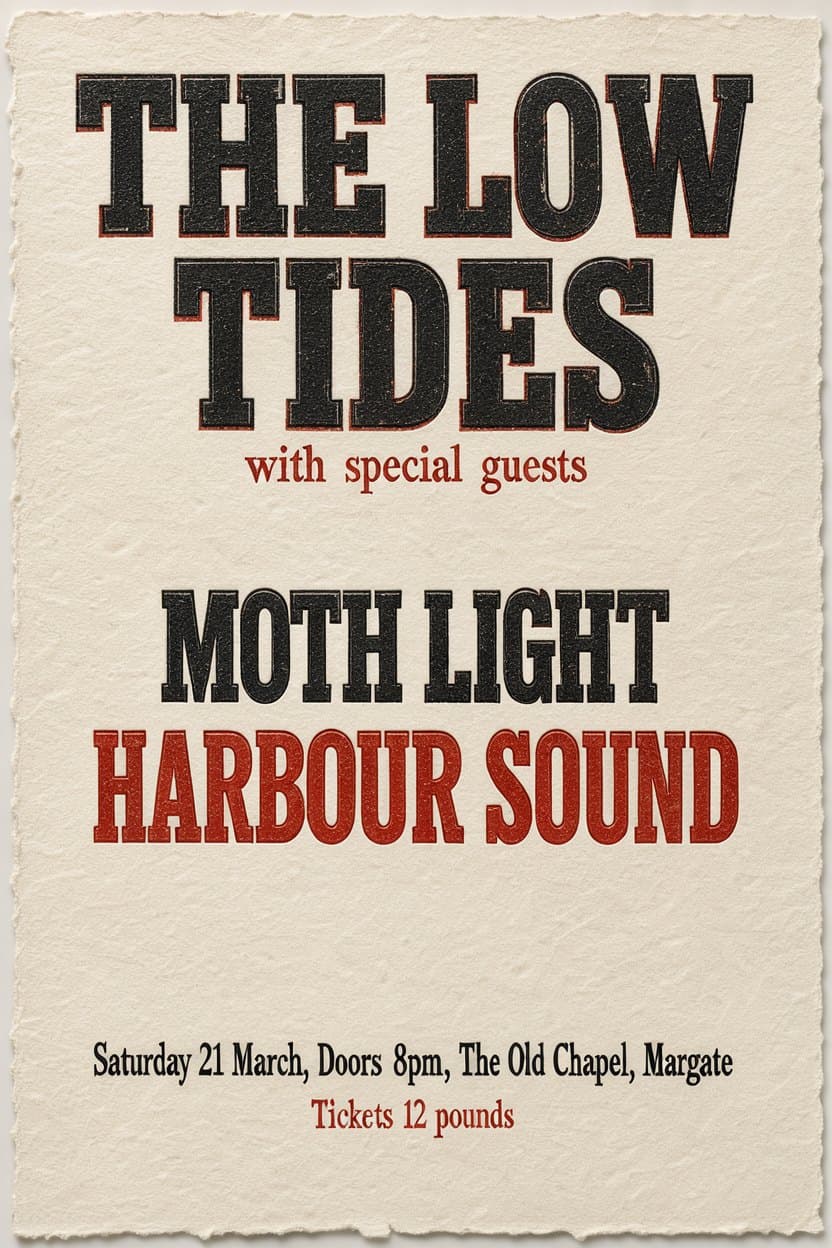
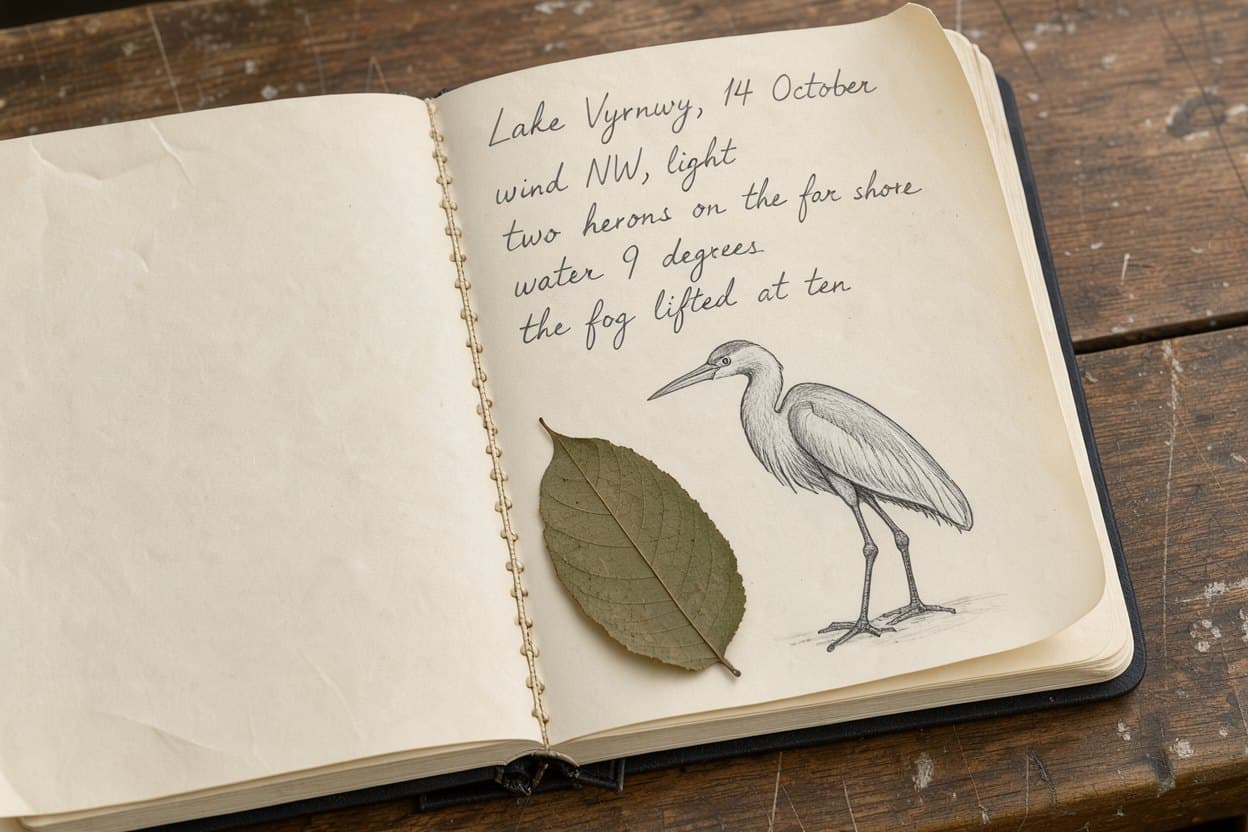
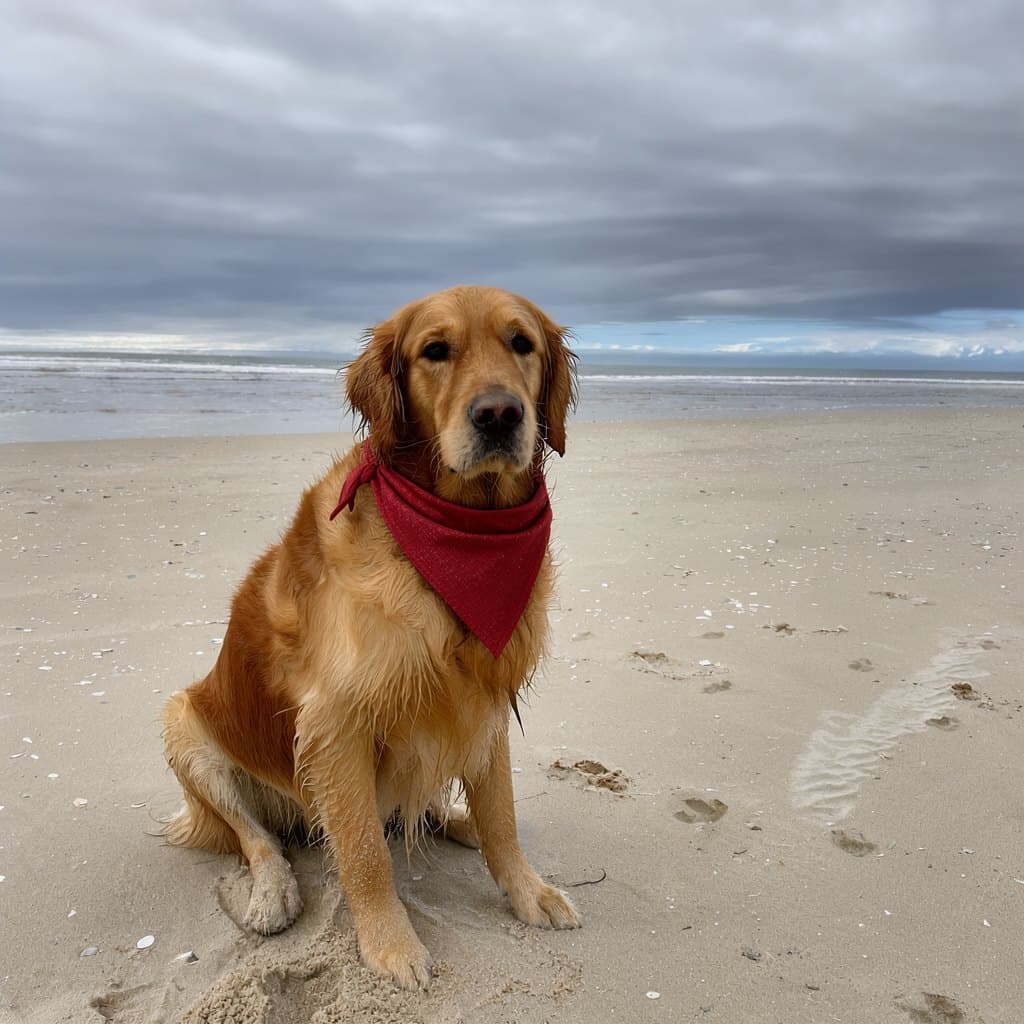
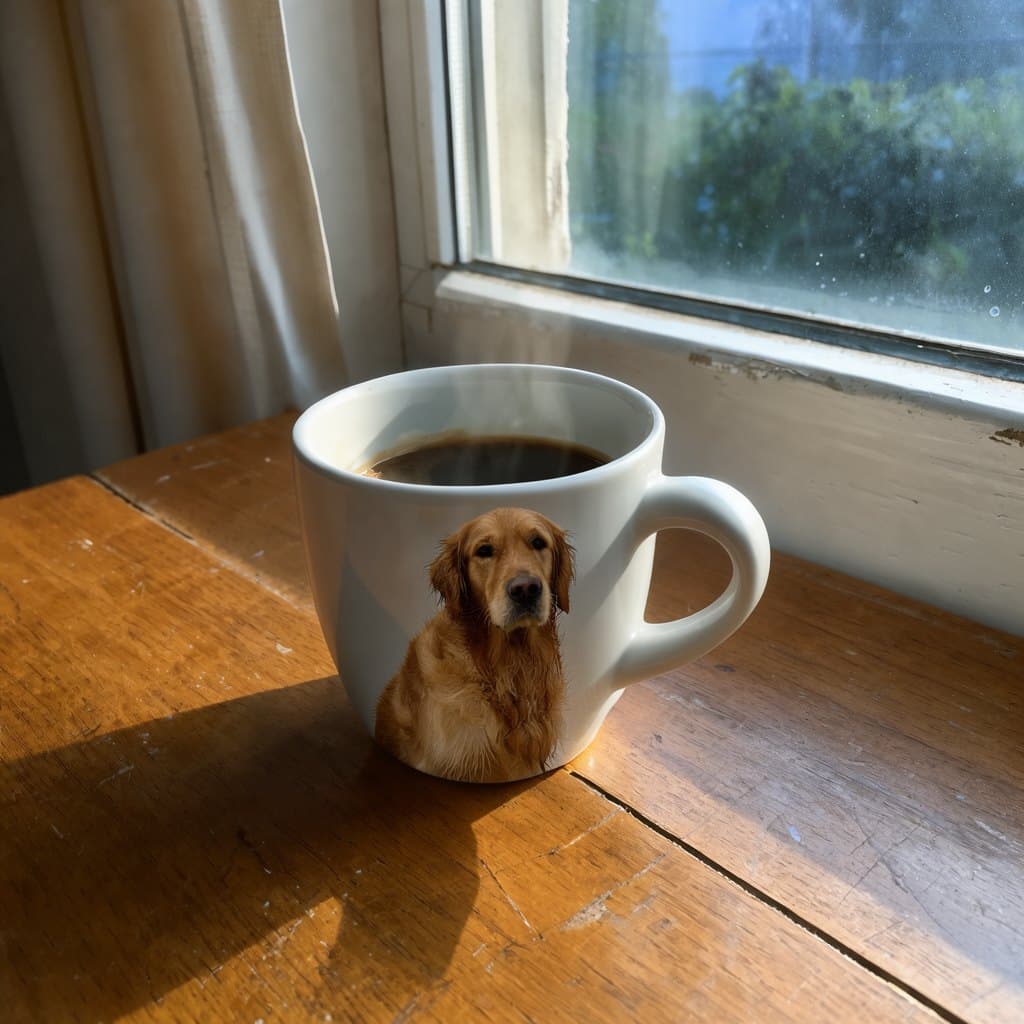
From the examples in Black Forest Labs' flux-3-image-klein repository, made with the distilled model and the prompt upsampler, not retouched. The prompt or edit instruction is under each image; the three edits use the repository's own mug and dog photos as references.

What FLUX.3 Klein does well, and what testers criticise
Edits that keep the rest of the photo
Black Forest Labs' internal Elo puts Klein first among open models for editing and multi-reference work, about 70 points above FLUX.2 [klein] 9B. A photographer testing 12-megapixel edits on Reddit was impressed by how consistent they stayed.
Follows long prompts
In a four-model comparison at 2 megapixels on Reddit, Klein followed prompts best, ahead of FLUX.2 Klein 9B, Qwen Image 2.1 and Krea 2.
Readable typography
Posters, packaging and handwriting like the examples above come out readable when the exact words are in quotes.
Layout with bounding boxes
Boxes place each object where you want it, both in new images and in edits.
Fast and low-cost
16 steps without CFG: about 4 seconds per 1-megapixel image on an RTX 5090 with the int8 files, by Black Forest Labs' numbers. On Nano AI it is the lowest-priced model that also edits, at 4 credits.
Weak spots
At launch many testers criticised anatomy, faces and hands in text-to-image and preferred FLUX.2 Klein for people. Results get noticeably weaker without the prompt upsampler.
FLUX.3 Klein vs other image models on Nano AI
Credits are Nano AI prices on October 20, 2026. Parameter counts are the developers' own figures.
| FLUX.3 Klein | Qwen Image 2.1 | Z-Image | Nano Banana 2.1 | |
|---|---|---|---|---|
| Developer | Black Forest Labs | Alibaba | Tongyi Lab | |
| Open weights | Yes, FLUX Kommunity License | Yes | Yes | No |
| Parameters | 5.6B | 7B | 6B | Not published |
| Credits per image | 4 | 8 | 4 | 8 |
| Edits with reference images | Yes | Yes | No | Yes |
| A good first pick for | Low-cost edits and prompt-faithful layouts | Chinese and English text | Quick low-cost drafts | Photo edits and product shots |
FLUX.3 Klein downloads, workflows and tutorials
Official sources first, then community files, all checked on October 20, 2026.
How to use FLUX.3 Klein online
- 1
Describe the image
Type a prompt in the box at the top of this page; FLUX.3 Klein is already selected. Put any words you want printed in quotes, then choose an aspect ratio and 1 to 4 variations.
- 2
Or edit with reference images
Switch to Edit and add up to 5 images (PNG, JPEG or WebP, 5 MB each). Say in one sentence what should change and what should stay the same.
- 3
Generate and download
Sign in to use your free credits. The cost is shown on the button before you generate, and results are saved under My creations.
FLUX.3 Klein prompt ideas
Describe what you want plainly and quote any exact text; prompt enhancement fills in the detail. Edits work best as one short instruction.
Product label
a tea tin, dark green enamel: 'HIGHLAND BREAKFAST' in gold caps on the front, 'Assam and Ceylon leaf' beneath, 'est. 1884' in a roundel, and on the side in small white type 'Brew for four minutes. One spoon per cup and one for the pot.', hard side light, product photograph
Letterpress poster
a letterpress poster on cream paper: 'NIGHT MARKET' very large at the top, 'Fridays 6pm to midnight' below it, a simple illustration of paper lanterns, two inks, black and red, nothing else written
Miniature scene
an isometric miniature of a rainy harbour town at dusk, tiny fishing boats, warm window lights, tilt-shift look, no people
Breakfast photo
top-down photograph of a breakfast table: a white ceramic mug of coffee, a croissant on a linen napkin, morning window light, no people
Edit: add one object
put a small potted cactus next to the mug and keep everything else the same
Edit: combine two images
print the pattern from the second image onto the tote bag in the first image, following the folds of the fabric
FLUX.3 Klein problems and fixes
What people ran into in the first days after release.
- Flat, plain-looking images
- The prompt upsampler is off. Turn it on in the template; the model was trained on the captions it writes.
- 403 or gated repo error when downloading
- Accept the license on the Hugging Face model page with the same account, then run hf auth login again.
- CLIP Loader has no flux3 type
- Your ComfyUI is older than 0.41.0. Update it, reinstall the requirements and restart.
- Out of memory
- Use the int8 model and text encoder with the 4-bit upsampler and start ComfyUI with --lowvram. On 8 GB cards expect around a minute and a half per image.
- The NVFP4 file will not load
- NVFP4 needs an RTX 50-series or other Blackwell GPU. Use the int8 file on older cards.
- No fp8 file in the ComfyUI repository
- The fp8 builds are only in the Diffusers repositories. In ComfyUI use int8, or NVFP4 on Blackwell.
- Base looks worse than distilled
- Base needs 50 steps with CFG around 3.5 to 4; at 16 steps and CFG 1 it is unfinished.
- Hands and faces look wrong
- A known weakness at launch. Keep the upsampler on and try 2K, or fix the area with an edit. For portraits, Qwen Image 2.1 and Nano Banana 2.1 are safer picks.
FAQ
FLUX.3 Klein FAQ
Short answers about the model, running it locally and using it on Nano AI.
Is FLUX.3 Klein free?
The weights are free to download and use for non-commercial work, and businesses under US$5 million in yearly revenue may use the images commercially. Online, Black Forest Labs' API charges $0.009 per 1K image. On Nano AI an image costs 4 credits, and new accounts in most regions get 16 free credits, enough for 4 images.
Is FLUX.3 Klein open source?
It is open weights rather than open source. The code and the prompt upsampler are Apache 2.0; the model weights use the FLUX Kommunity License, which limits commercial use.
How much VRAM does FLUX.3 Klein need?
The int8 ComfyUI files run on 8 GB GPUs such as the RTX 3070, slowly. Black Forest Labs' reference code peaks at 31 GB in bf16 without the upsampler, which needs about 28 GB more. In Diffusers, bf16 peaked at 20.7 GiB on an H100.
What is the difference between FLUX.3 Klein and FLUX 3?
FLUX 3 Image, released on October 1, is Black Forest Labs' closed flagship, available only through APIs. FLUX.3 Klein, released on October 15, is the smaller open-weights model. Nano AI offers Klein now; FLUX 3 Image has its own page.
FLUX.3 Klein or FLUX.2 Klein?
FLUX.3 Klein is one 5.6B model; FLUX.2 [klein] came in January 2026 as 4B and 9B. Black Forest Labs measures FLUX.3 Klein about 90 Elo points higher for text-to-image and 70 for editing than FLUX.2 Klein 9B, but some testers still prefer FLUX.2 Klein for people.
Can FLUX.3 Klein edit images?
Yes. The model accepts up to 10 reference images and can place edits with bounding boxes. On Nano AI you can add up to 5 images per edit.
Does ComfyUI support FLUX.3 Klein?
Yes, natively since 0.41.0. Use 0.41.3 or later with the files from black-forest-labs/flux-3-image-klein-comfy, as described above.
Is Nano AI an official Black Forest Labs product?
No. Nano AI is an independent service that offers FLUX.3 Klein through an API provider.
More from Nano AI
Related pages
Nano AI is an independent service and is not affiliated with, endorsed by or sponsored by Black Forest Labs. FLUX is a trademark of Black Forest Labs. Model facts, prices and file sizes come from Black Forest Labs' blog, GitHub repository, Hugging Face model cards and API documentation as read on October 20, 2026; community opinions are summarised with their sources. Sample images are from Black Forest Labs' flux-3-image-klein repository.