
Alibaba · Released September 20, 2026 · Live on Nano AI
Qwen Image 2.1 AI image generator for accurate text in images
Run Alibaba's Qwen-Image-2.1 in your browser, with no GPU and no install. 8 credits per image, and new accounts start with 55 free credits.
55 free credits = 6 standard images. No card required.
Output board
Your generated variations will appear here.
- Made by
- Alibaba
- Released
- September 20, 2026
- Price on Nano AI
- 8 credits per image
- Page updated
- November 7, 2026
Source: qwen.ai
Qwen Image 2.1 examples
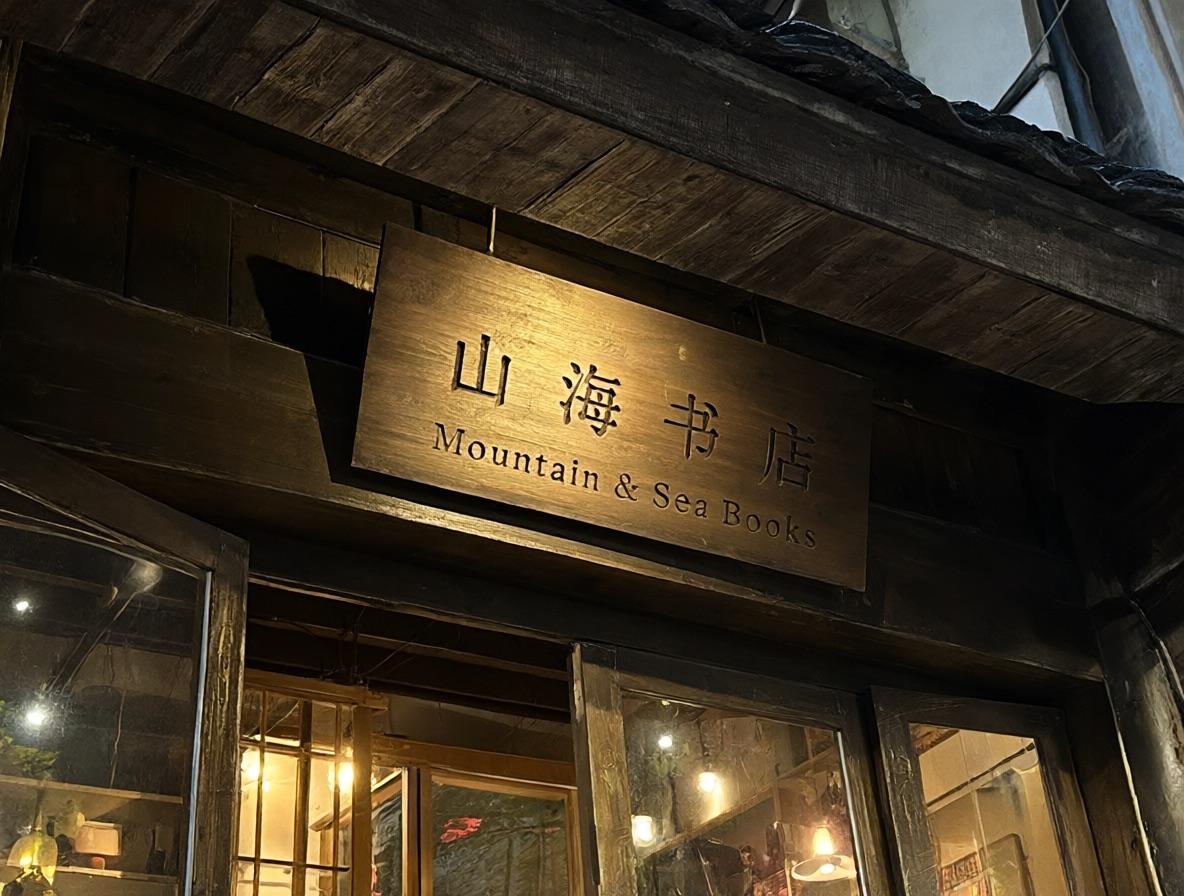
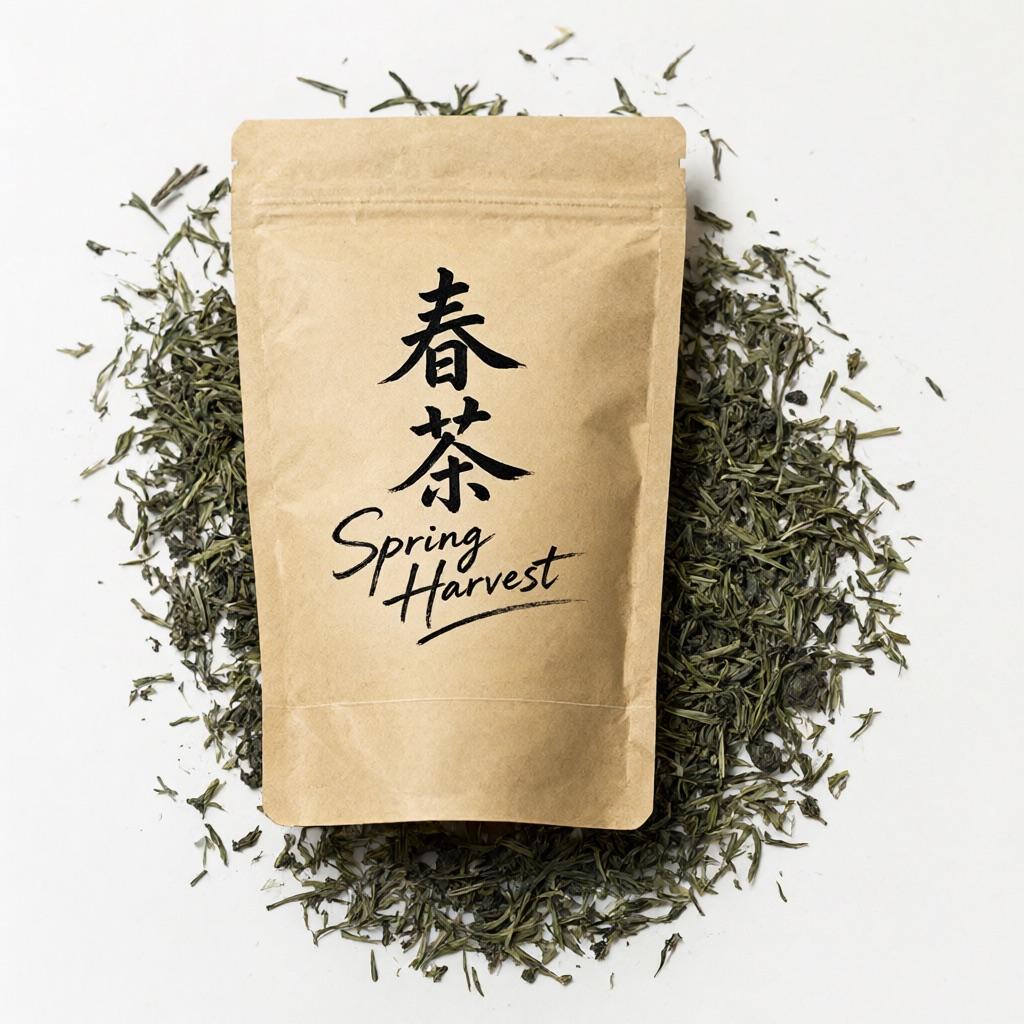
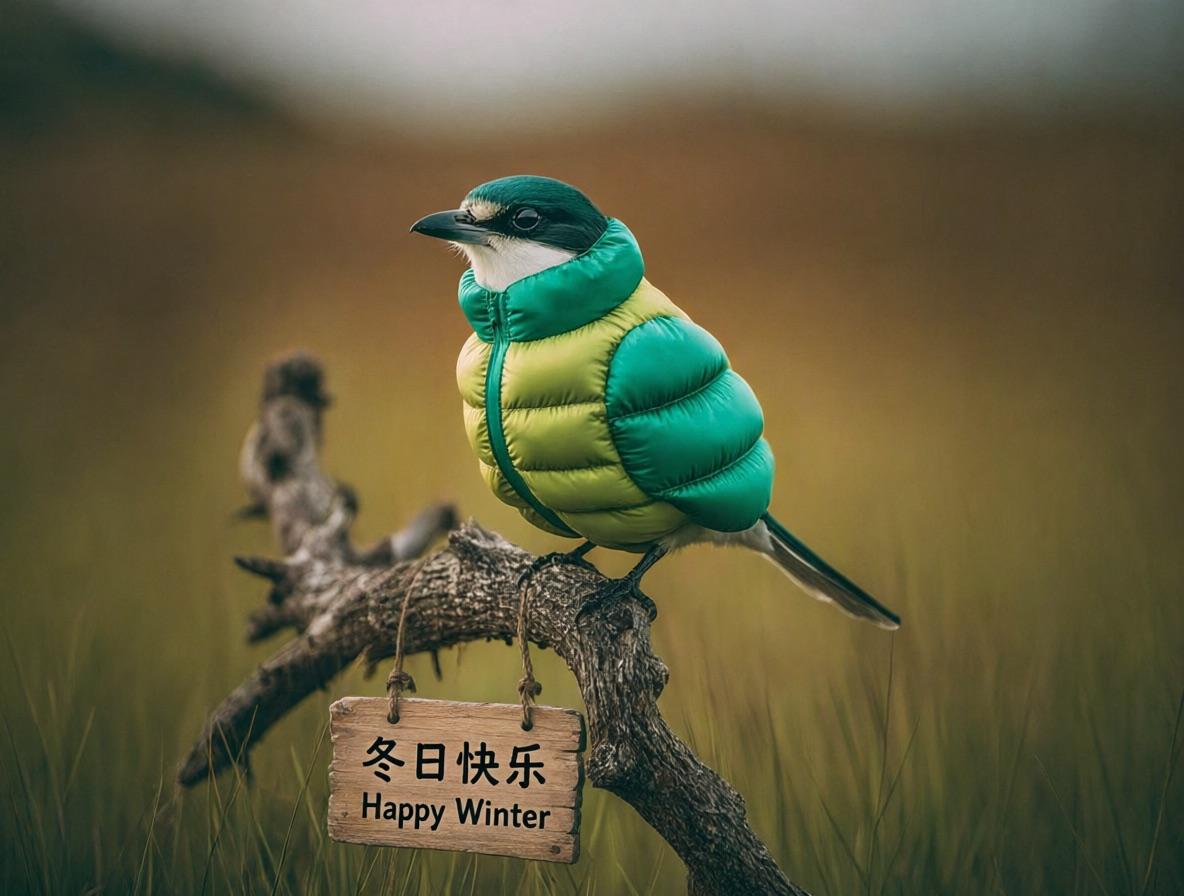
Generated on Nano AI with Qwen Image 2.1 on October 11, 2026. Nothing was retouched; the files were only converted to JPEG. All Chinese and English text came out correct on the first run.
What is Qwen Image 2.1?
Qwen Image 2.1, officially Qwen-Image-2.1, is Alibaba's open-weight image model, released on September 20, 2026. It handles text-to-image and image editing in one 7-billion-parameter model.
According to the Qwen team, this release adds native transparent (RGBA) output, accepts up to 10 reference images, supports circle, paint and mask edits, and improves typography, portrait lighting and the fidelity of faces and products.
The weights are on Hugging Face if you want to run the model yourself. Nano AI is the hosted option: open this page, type a prompt and get the image.
Qwen Image 2.1 at a glance
- Developer
- Alibaba (Qwen team)
- Official name
- Qwen-Image-2.1
- Release date
- September 20, 2026
- Architecture
- One 7B model for generation and editing
- Model limits
- Native 2K (2048 × 2048 by default); up to 10 reference images
- On Nano AI
- 1K output (1024 × 1024 at 1:1), up to 5 reference images per edit, 1 to 4 variations
- Aspect ratios here
- 1:1, 16:9, 9:16, 4:3, 3:4
- Price here
- 8 credits per image
- Time per image
- About a minute for text-to-image, 19 seconds for an edit, in our tests (October 11, 2026)
- Open weights
- Hugging Face, Qwen Research License (non-commercial)
What is new in Qwen Image 2.1
Chinese and English in one image
The shop sign and the tea pouch above each carry a Chinese line and an English line, and every character is correct. Put the exact text in quotation marks in your prompt.
Adds text to an existing photo
In the third example we asked for a small wooden sign with a two-language greeting. The sign was added and the rest of the photo was left alone.
One model for creating and editing
Text-to-image and image editing run in the same 7B model, so you can draft an image and then refine it without switching models.
Up to 10 reference images
The model accepts up to 10 reference images. Nano AI currently accepts 5 per edit.
Transparent output in the model
Qwen-Image-2.1 can generate and edit images with a transparent background. That option is not enabled on Nano AI yet.
Qwen Image 2.1 vs other new models on Nano AI
Prices are Nano AI credits. Times are from our own runs at 1K on October 11, 2026 and will vary with load.
| Qwen Image 2.1 | Nano Banana 2.1 | GPT Image 2.5 | Seedream 5.0 | |
|---|---|---|---|---|
| Developer | Alibaba | OpenAI | ByteDance | |
| Credits per image | 8 | 8 | 12 | 8 |
| Time per image in our tests | 19 to 66 seconds | 28 to 34 seconds | 53 to 72 seconds | 13 to 14 seconds |
| A good first pick for | Chinese and English text inside images | Photo edits and product shots | Posters, infographics and exact wording | Fast stylized art and illustration |
| Edits from reference images | Yes | Yes | Yes | Yes |
How to use Qwen Image 2.1 online
- 1
Describe the image
Write what you want in the box at the top of this page. Qwen Image 2.1 is already selected. Choose an aspect ratio and how many variations you want, from 1 to 4.
- 2
Or upload images to edit
Switch to Edit, add up to 5 reference images (PNG, JPEG or WebP, 5 MB each), then say what should change and what should stay.
- 3
Generate and download
Sign in to use your 55 free credits. The cost is shown on the button before you generate. Results appear on the right and are saved under My creations.
Qwen Image 2.1 prompts to try
Put the exact text you want in quotation marks, in any mix of Chinese and English. Tap a prompt name under the input box to load it.
Shop sign
A cosy bookstore storefront at dusk with a wooden sign that reads "山海书店" on the first line and "Mountain & Sea Books" on the second line, warm window light
Packaging
Flat lay of a tea packaging design: a kraft paper pouch with Chinese calligraphy "春茶" and the English words "Spring Harvest" below it, loose green tea leaves around, soft daylight
Festival poster
Festive poster with large red calligraphy "新年快乐" and the smaller line "Happy New Year 2027", gold paper-cut lanterns and plum blossoms on a deep red background
Menu board
Handwritten cafe menu board with the heading "今日特饮 Today's Drinks" and three lines: "桂花拿铁 Osmanthus Latte", "柚子美式 Yuzu Americano", "抹茶牛奶 Matcha Milk", white chalk on a dark green board
Edit: add a sign
Add a small wooden sign that reads "冬日快乐 Happy Winter". Keep everything else unchanged.
FAQ
Qwen Image 2.1 FAQ
Short answers about the model and about using it on Nano AI.
Is Qwen Image 2.1 free?
You can try it for free. A new Nano AI account gets 55 credits with no card required, and one image costs 8 credits, so that is 6 images.
Can I use Qwen Image 2.1 without ComfyUI or a GPU?
Yes. This page runs the model in the cloud. There is nothing to download or configure: type a prompt, generate and save the image.
Can I run Qwen-Image-2.1 locally instead?
Yes. Alibaba publishes the weights on Hugging Face as Qwen/Qwen-Image-2.1 under the Qwen Research License, which covers non-commercial use. A faster 8-step Turbo version followed on October 9, 2026.
Does Qwen Image 2.1 write Chinese text correctly?
In our tests on October 11, 2026 it did. The examples on this page include three different Chinese phrases alongside English, all rendered correctly on the first run.
What resolution do I get?
The model is native 2K. Nano AI currently generates at 1K, which is 1024 × 1024 pixels for a square image. 2K is not enabled here yet.
How many reference images can I use?
The model accepts up to 10. Nano AI currently accepts up to 5 per edit, each up to 5 MB.
Is Nano AI an official Alibaba product?
No. Nano AI is an independent service that offers Qwen Image 2.1 and other models through an API provider.
More from Nano AI
More new models
Nano AI is an independent service and is not affiliated with, endorsed by or sponsored by Alibaba. Qwen is an Alibaba product name. Model facts come from the Qwen team's announcement and model repository; prices, limits and timings describe Nano AI as tested on October 11, 2026.