
OpenAI · Released September 8, 2026 · Live on Nano AI
GPT Image 2.5 image generator for posters, text and precise edits
The model behind ChatGPT Images 2.5, in your browser, with no subscription. 12 credits per image, and new accounts start with 55 free credits.
55 free credits = 6 standard images. No card required.
Output board
Your generated variations will appear here.
- Made by
- OpenAI
- Released
- September 8, 2026
- Price on Nano AI
- 12 credits per image
- Page updated
- November 5, 2026
Source: openai.com
GPT Image 2.5 examples
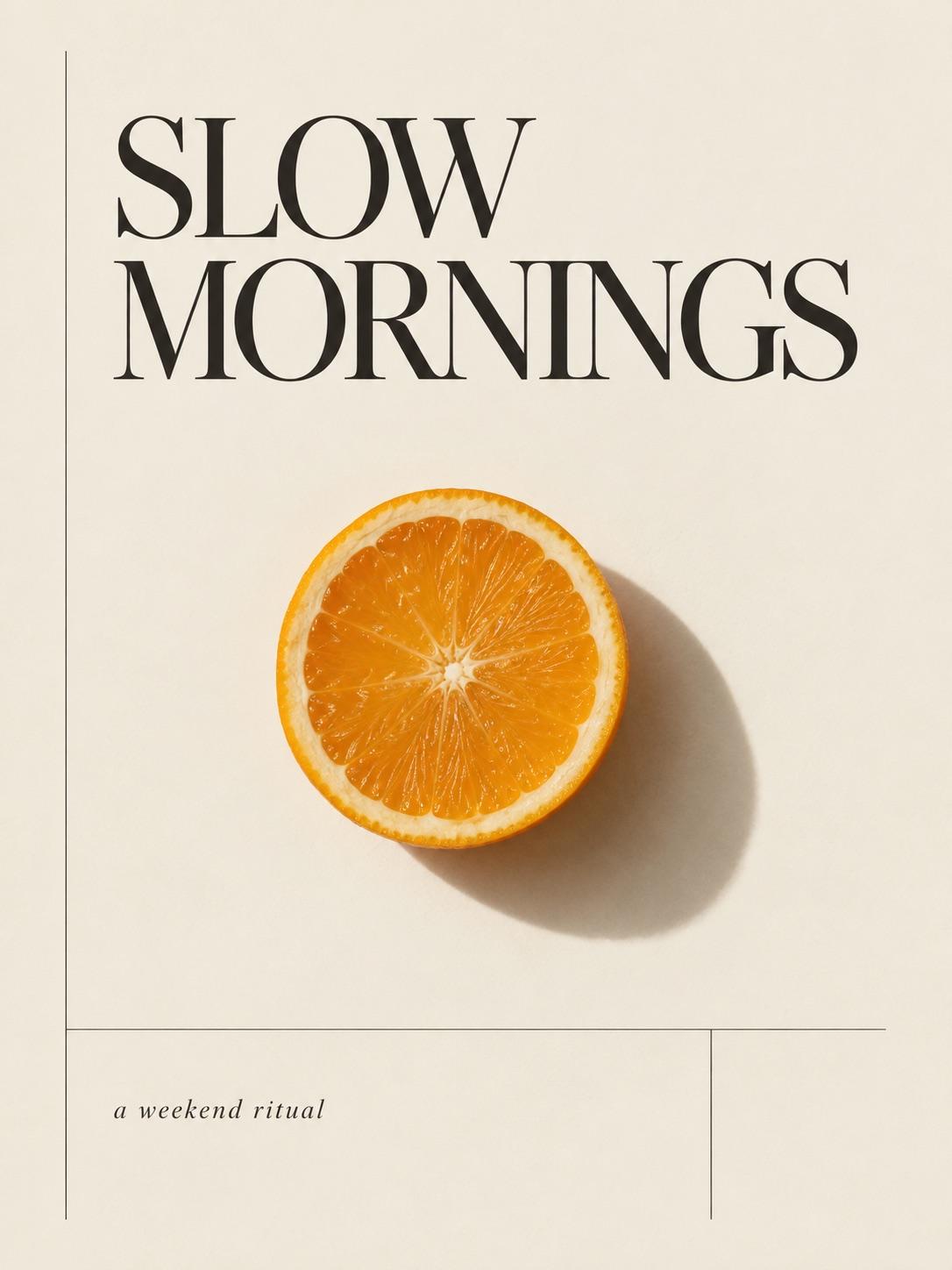
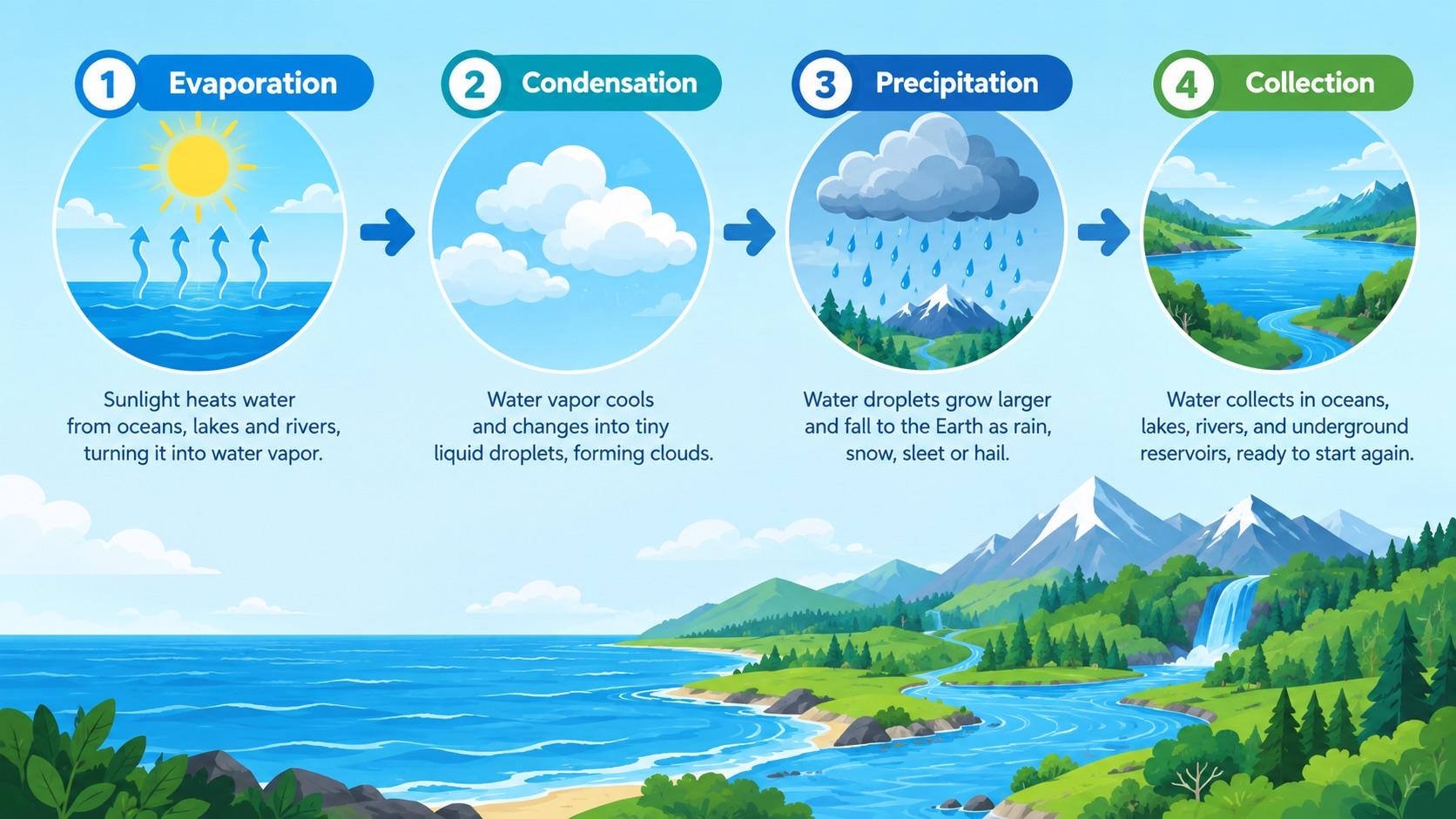
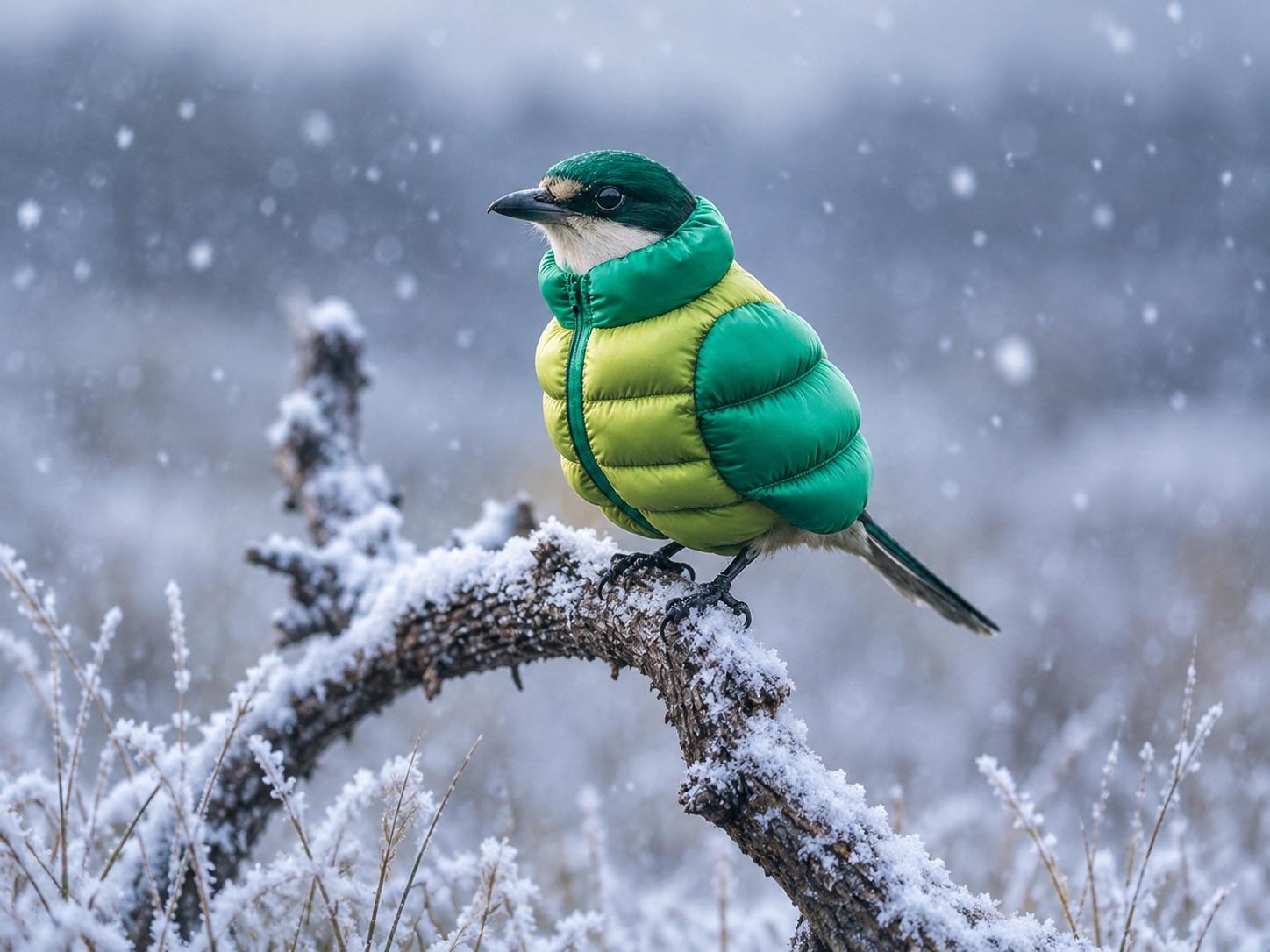
Generated on Nano AI with GPT Image 2.5 on October 11, 2026. Nothing was retouched; the files were only converted to JPEG. Every word in the poster and the infographic came out spelled correctly on the first run.
What is GPT Image 2.5?
GPT Image 2.5 is OpenAI's image generation and editing model, released on September 8, 2026. In ChatGPT it appears as ChatGPT Images 2.5. In the API it comes in two versions: GPT-Image-2.5 Flare and GPT-Image-2.5 Sunburst.
OpenAI says the new model is up to 50% faster than GPT Image 2, keeps reference subjects more faithful, changes only what you asked for in an edit, stays consistent over several turns, and handles transparent backgrounds and complex layouts.
Nano AI runs the Flare version, which OpenAI positions as the default for most uses. You do not need a ChatGPT plan or an OpenAI API key: describe the image, generate and download.
GPT Image 2.5 at a glance
- Developer
- OpenAI
- Also called
- ChatGPT Images 2.5, gpt-image-2.5-flare, gpt-image-2.5-sunburst
- Release date
- September 8, 2026
- Versions
- Flare (default, lower latency) and Sunburst (finer control across edits, slower)
- Version on Nano AI
- Flare
- Model limits
- Custom sizes up to 3840 pixels on the long edge; PNG, JPEG or WebP output
- On Nano AI
- 1K tier (for example 1448 × 1086 at 4:3), up to 5 reference images per edit, 1 to 4 variations
- Price here
- 12 credits per image
- Time per image
- 53 to 72 seconds in our tests (October 11, 2026)
- Provenance
- C2PA metadata and an invisible watermark from OpenAI; no visible mark added by Nano AI
What is new in GPT Image 2.5
Text that reads correctly
Headlines, captions and labels come out as written. In the infographic above, four headings and four full sentences of body text are all spelled correctly.
Layouts and infographics
OpenAI highlights complex layouts as a strength of this release. Posters, diagrams and menu-style compositions are where it stands out from the other models here.
Edits that change only what you asked
In the third example we asked for a winter scene and told it to keep the bird and its jacket. Both stayed the same; only the weather changed.
Subjects stay recognizable
OpenAI reports that reference subjects are preserved more faithfully than in GPT Image 2, which matters when a product has to look the same from one image to the next.
Faster than GPT Image 2
OpenAI cites up to 50% lower latency for the Flare version. It is still the slowest of the four new models here at about a minute per image, so use it when wording and layout matter.
GPT Image 2.5 vs other new models on Nano AI
Prices are Nano AI credits. Times are from our own runs at 1K on October 11, 2026 and will vary with load.
| GPT Image 2.5 | Nano Banana 2.1 | Seedream 5.0 | Qwen Image 2.1 | |
|---|---|---|---|---|
| Developer | OpenAI | ByteDance | Alibaba | |
| Credits per image | 12 | 8 | 8 | 8 |
| Time per image in our tests | 53 to 72 seconds | 28 to 34 seconds | 13 to 14 seconds | 19 to 66 seconds |
| A good first pick for | Posters, infographics and exact wording | Photo edits and product shots | Fast stylized art and illustration | Chinese and English text inside images |
| Edits from reference images | Yes | Yes | Yes | Yes |
How to use GPT Image 2.5 online
- 1
Describe the image
Write what you want in the box at the top of this page. GPT Image 2.5 is already selected. Choose an aspect ratio and how many variations you want, from 1 to 4.
- 2
Or upload images to edit
Switch to Edit, add up to 5 reference images (PNG, JPEG or WebP, 5 MB each), then say what should change and what should stay.
- 3
Generate and download
Sign in to use your 55 free credits. The cost is shown on the button before you generate. Results appear on the right and are saved under My creations.
GPT Image 2.5 prompts to try
Put the exact words you want in the image inside quotation marks. Tap a prompt name under the input box to load it.
Typographic poster
Minimal typographic poster that reads "SLOW MORNINGS" in large elegant serif letters, cream background, a single orange slice casting a soft shadow, Swiss grid layout, small caption "a weekend ritual"
Infographic
Clean flat vector infographic of the water cycle with four clearly labelled stages: Evaporation, Condensation, Precipitation, Collection. Arrows between stages, soft blue and green palette
Cafe menu
Chalkboard cafe menu titled "Today's Specials" listing three items with prices: "Oat Flat White 4.5", "Lemon Loaf 3.8", "Tomato Soup 6.0", hand-lettered white chalk, small coffee cup doodle in the corner
App store banner
Wide banner for a habit tracker app with the headline "Small steps, every day" on the left and a clean phone mockup showing a weekly checklist on the right, soft lilac gradient background
Edit: new season
Turn the scene into a snowy winter morning: snow on the ground, soft cold light. Keep the main subject exactly as it is.
FAQ
GPT Image 2.5 FAQ
Short answers about the model and about using it on Nano AI.
Is GPT Image 2.5 free?
You can try it for free. A new Nano AI account gets 55 credits with no card required, and one GPT Image 2.5 image costs 12 credits, so that is four images.
Is GPT Image 2.5 the same as ChatGPT Images 2.5?
Yes, it is the same model family. ChatGPT Images 2.5 is the name inside ChatGPT, and GPT-Image-2.5 is the API model. Some ChatGPT features, such as Sketch, templates and comment edits, are part of the ChatGPT app and are not available here.
What is the difference between Flare and Sunburst?
OpenAI describes Flare as the default for most applications, with lower latency. Sunburst targets premium workflows with finer control across edits and takes longer. Nano AI uses Flare.
Do I need a ChatGPT subscription or an OpenAI API key?
No. You sign in to Nano AI and pay in Nano AI credits. There is nothing to configure.
How long does GPT Image 2.5 take?
In our runs on October 11, 2026, an image took 53 to 72 seconds. OpenAI notes that complex prompts can take up to two minutes. If a generation fails, its credits are returned automatically.
Can GPT Image 2.5 make transparent backgrounds?
The model supports transparent backgrounds. Nano AI currently returns images with a regular background; transparent output is not enabled here yet.
Is Nano AI an official OpenAI product?
No. Nano AI is an independent service that offers GPT Image 2.5 and other models through an API provider.
More from Nano AI
More new models
Nano AI is an independent service and is not affiliated with, endorsed by or sponsored by OpenAI. ChatGPT and GPT are trademarks of OpenAI. Model facts come from OpenAI's announcement and API documentation; prices, limits and timings describe Nano AI as tested on October 11, 2026.