
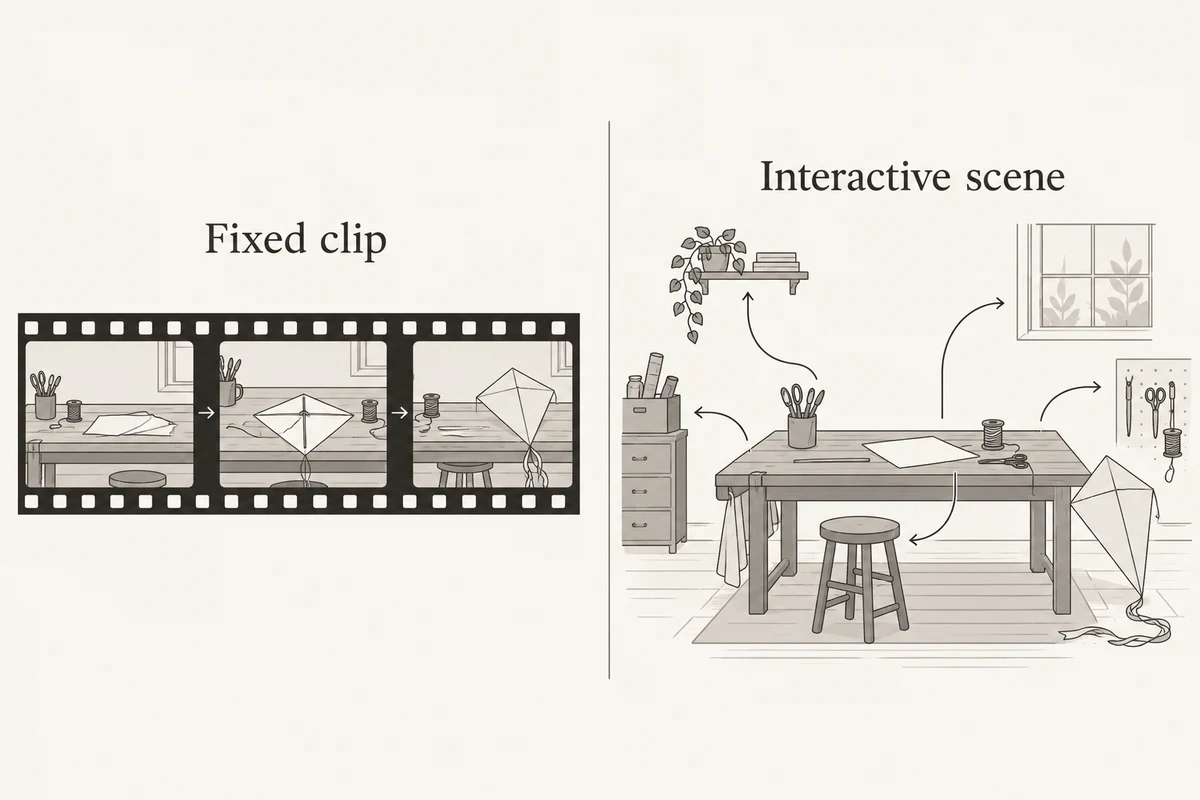
Use an AI video generator when you need a finished clip that viewers play from beginning to end. Consider an interactive world-model experience when the task requires choosing actions inside a scene and seeing it respond. The useful distinction is the deliverable: a recorded sequence or an environment someone can operate.
Google DeepMind's October 27, 2026 Genie 4 announcement makes this question timely. It describes a world model for real-time interactive simulation, initially rolling out as a research preview for trusted testers. Check the announcement and waitlist for access; a release announcement does not mean every reader can use the product today.
This guide compares creator tasks rather than declaring two completely separate model categories. NanoAI's AI video generator offers text-to-video and image-to-video workflows for making clips. It does not offer a Genie 4 integration or a navigable world-model session.
All illustrations are conceptual diagrams generated with Codex. They are not outputs or performance tests from NanoAI, Genie, or another video model. Examples below are planning examples, not tested generations.
On this page
- Choose a fixed clip or a scene that responds to actions
- Write different briefs for the same scene
- Review the output against the job it must do
- Frequently asked questions
- Choose the deliverable before the model
Choose a fixed clip or a scene that responds to actions
A video clip contains an ordered sequence of frames. You can pause it, trim it, or place it on an editing timeline. Viewers normally receive the sequence you selected, even if making that sequence involved many prompts and revisions.
An interactive environment adds another requirement: actions taken during the session affect what comes next. A user might move toward a doorway instead of toward a table. The next view needs to respond to that choice. Google DeepMind's earlier Genie 3 explanation describes navigable generated environments and the broader idea of models that simulate aspects of the world and consequences of actions.
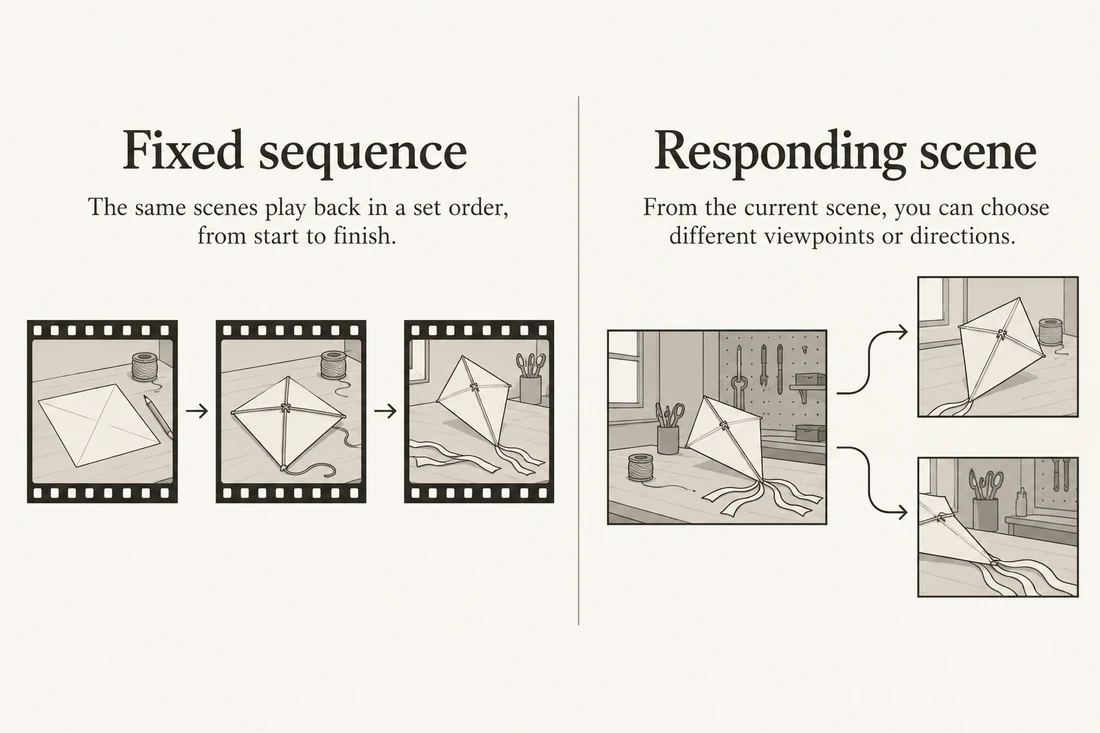
The term world model is broader than an explorable consumer experience. For example, NVIDIA's Cosmos documentation describes a platform for Physical AI, including models that predict future world states as video. A generated video and a world model can therefore overlap technically. Here, “interactive world-model experience” means a product in which a participant can influence an unfolding scene.
| What you need to deliver | Start by evaluating | A useful acceptance question |
|---|---|---|
| A short scene for a social post, ad, or presentation | A video generation and editing workflow | Does the selected clip communicate the intended moment? |
| A scene people can navigate and influence | An interactive environment with documented controls | Does the scene respond to the participant's choices? |
| A recorded demonstration of an interactive session | The interactive tool, plus recording and finishing | Can viewers understand the selected path through the experience? |
| Evidence for a robotics or engineering decision | A validated, task-specific evaluation setup | What measured evidence connects the simulation to the real task? |
A quick decision test is to complete this sentence: “After I send the result, the recipient must be able to ___.” If the answer is “watch the workshop reveal,” a clip may be enough. If it is “choose where to walk in the workshop,” playback alone cannot satisfy the request.
Do not treat a more complex deliverable as automatically more useful. A marketing team may need one clear shot by a deadline. An explorable scene can add work without answering that brief. Conversely, a beautiful fly-through does not demonstrate that a visitor can take a different route.
Write different briefs for the same scene
Imagine a small workshop with a paper kite resting on a workbench and a window on the opposite wall. Keep the setting identical and change only what the audience needs to do. This exposes the difference between the two briefs.
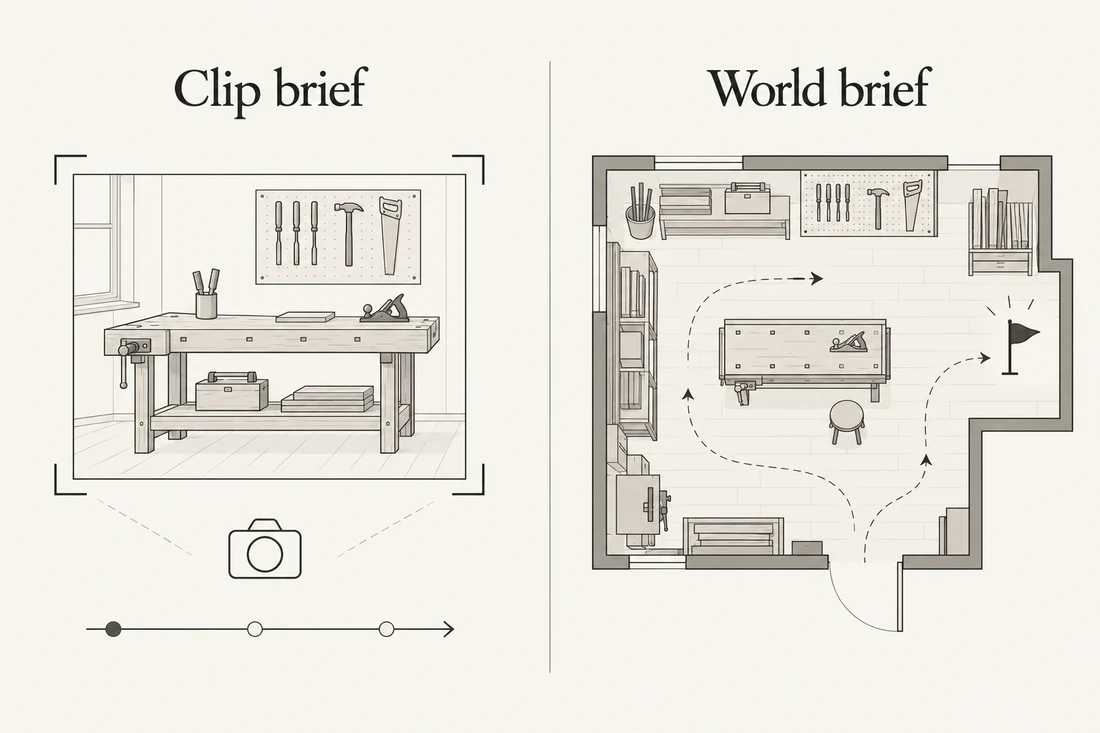
Brief A: deliver one workshop clip
The audience should see the kite clearly, notice the workshop atmosphere, and finish with an unobstructed view of the bench. Write a shot request with a visible beginning, one manageable movement, and an end composition.
A quiet craft workshop in soft window light. A paper kite rests on a wooden workbench. Begin with the whole bench visible. Make one slow camera move closer to the kite, keeping its shape stable and the window in the background. End with the kite fully inside the frame. No added lettering or extra objects.
This is an example creative direction, not a promise that a model will follow every detail. Specify the duration and aspect ratio using controls the selected tool actually provides. Avoid embedding incompatible requirements in the text, such as a long multi-scene story within a short clip setting.
For this fixed-clip task in NanoAI:
- Open the AI video generator and choose text-to-video, or image-to-video if you already have a suitable starting image.
- Select an available model, duration, and aspect ratio. Review the displayed credit cost before generating.
- Enter the shot brief. Keep the main subject, camera movement, and ending easy to identify.
- Review the result before deciding whether to regenerate or finish it in an editor.
If the composition is still uncertain, use the AI image generator to explore a starting-frame concept first. A concept image is a visual planning aid; it does not turn the later clip into an interactive scene.
Brief B: let a participant explore the workshop
Now the recipient must choose a route. A camera-move sentence is insufficient because the deliverable needs controls, an initial situation, and a task that depends on interaction.
Use this as a requirements sketch for evaluating an interactive product:
Initial scene: a workshop with one kite on the central workbench and a window across the room. Participant task: approach the window, turn back toward the bench, and inspect the kite again. Desired continuity: the bench location, kite identity, and room layout should remain recognizable. Record which controls and interventions the chosen product actually supports.
This sketch deliberately separates desired behavior from supported behavior. Confirm the latter in the product's current documentation or session. Do not assume that movement, object manipulation, editable rules, or persistent saving are available merely because a demo looks interactive.
If a stakeholder only wants to approve a possible route, a storyboard may answer the immediate question. You can plan several views using the explainer storyboard guide. A storyboard communicates an intended experience; it does not prove that the environment can execute it.
Review the output against the job it must do
Choose review criteria before looking at the most impressive moment. Otherwise, a striking frame can distract from a missed requirement.
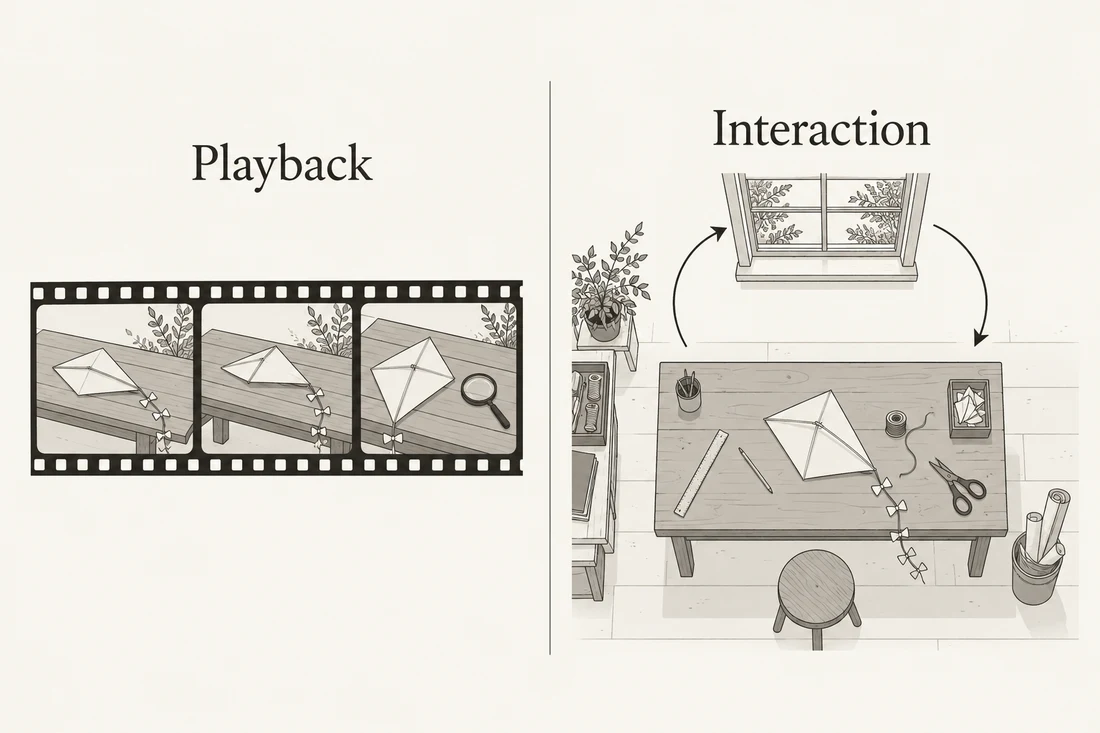
For the fixed workshop clip, watch the entire result at normal speed. Check whether the kite stays recognizable, the camera movement supports the shot, and the ending leaves the subject visible. Then inspect suspicious frames more closely. An attractive thumbnail cannot reveal every temporal defect.
For finishing, distinguish the editable project from the exported video file. Adobe's Firefly export documentation describes rendering a timeline into one video file. That is a useful delivery model for fixed playback: review the actual exported file in its destination, not only the editor preview.
For an interactive evaluation, inspect an actual session rather than relying on a launch video. Follow a short, documented action sequence and record what you attempted, what the environment displayed, and where behavior differed from your requirements. Returning to the kite after visiting the window is a practical continuity question for this example, not a universal benchmark.
| Review record | What it can support | What it cannot establish by itself |
|---|---|---|
| Full playback of an exported clip | This file tells the intended visual story | The scene accepts live navigation |
| A documented interactive session | These actions produced these observed responses | Every possible action behaves consistently |
| A return visit to the same object | Continuity for that particular route | Permanent object memory across all sessions |
| A visually plausible physical event | The motion appears convincing to a viewer | Measured real-world physical accuracy |
DeepMind's Genie 4 announcement also acknowledges remaining limitations in areas including consistency and physics. Treat those as reasons to check the actual task, rather than inferring reliable simulation from realism. Access conditions and capabilities may change after this guide's October 29, 2026 review.
If you record an interactive session and publish the recording, label it as a recording. The viewer can watch the route you took, but the video file does not retain the original scene's controls. Keep the recording and the interactive experience separate in the handoff instructions so the recipient knows what they can do.
Frequently asked questions
Is a world model just another name for an AI video generator?
No single product label settles the question. World models can predict or simulate world states, sometimes through video. Interactive experiences add participant control during the unfolding scene. Compare the specific inputs, controls, and delivered output instead of assuming the categories never overlap.
Does changing a video prompt count as live interaction?
Revising a prompt and generating another clip is an iterative creation workflow. It does not by itself demonstrate that a participant can navigate the same ongoing environment. Check whether actions affect the live session or merely request a new rendered result.
Can I use Genie 4 inside NanoAI?
NanoAI does not provide that integration. Its video tool supports text-to-video and image-to-video clip creation. For Genie 4 access, consult Google DeepMind's official announcement and waitlist rather than assuming availability through another site's video generator.
Does recording an interactive world make the recording interactive?
A normal video recording captures one sequence of events. Viewers can use ordinary playback controls, but cannot take a different path inside the recorded scene. Share access to the interactive experience separately when participation is part of the brief.
Can a realistic generated scene validate real-world physics?
Visual plausibility alone cannot establish physical accuracy. An engineering or robotics claim needs an appropriate evaluation method and evidence for the intended conditions. This guide's workshop example is a creative planning exercise, not a physical simulation validation.
Choose the deliverable before the model
Write down what the recipient must be able to do, choose a workflow that supports that action, and review the actual handoff. If the job is a finished clip, start with NanoAI's AI video generator and a focused shot brief. If the job requires live exploration, evaluate an interactive product's current access and controls before committing to it.