
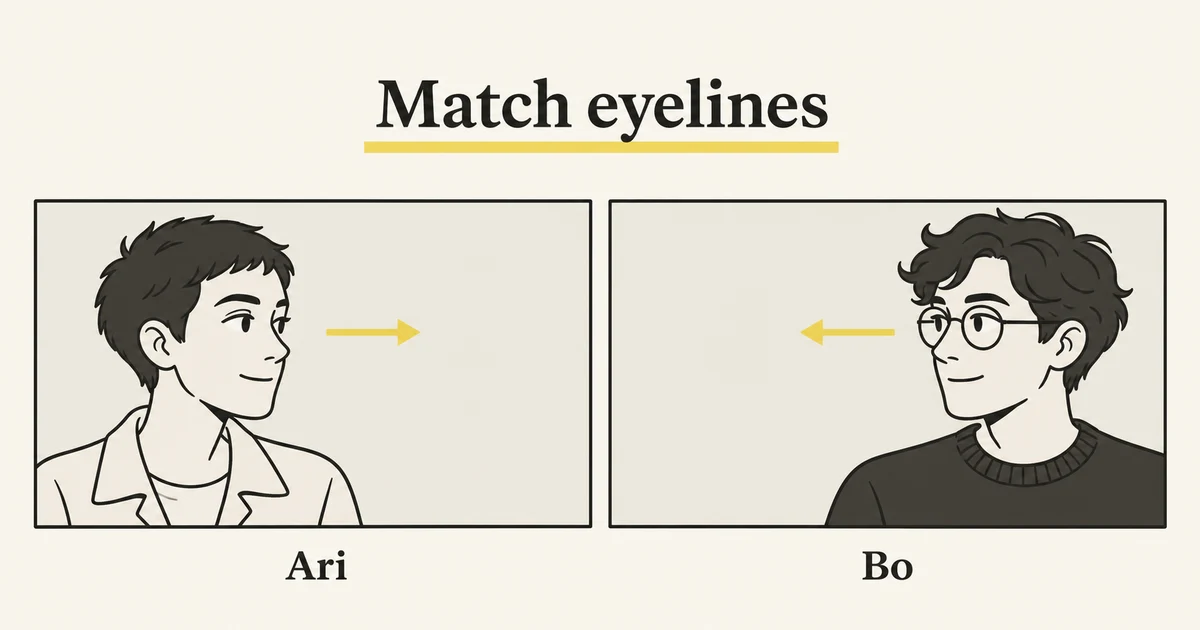
To create an AI shot reverse shot, establish where two characters sit, prepare a separate opening image for each angle, and keep their eyelines complementary across the cut. Use NanoAI's image workbench to prepare the frames, then animate each accepted image in Image to Video. Review the two clips together so the characters appear to be looking at one another in the same space.
Google's November 24, 2026 filmmaking showcase highlights short films made through the Women in Film India × Google Flow Filmathon. It is a timely reminder that an AI film still needs clear relationships between shots. This guide focuses on one small directing task: a seated exchange that remains easy to follow when the view changes.
Our original example has Ari on the left in a light jacket and Bo on the right in a dark sweater and round glasses. Both sit at roughly the same eye height across a small table. Ari notices something, and Bo responds with a slight nod. Start with visual coverage; add any dialogue and sound in your editing workflow.
- Plan the conversation axis
- Prepare two opening frames
- Animate and review the cut
- Frequently asked questions
Plan the conversation axis
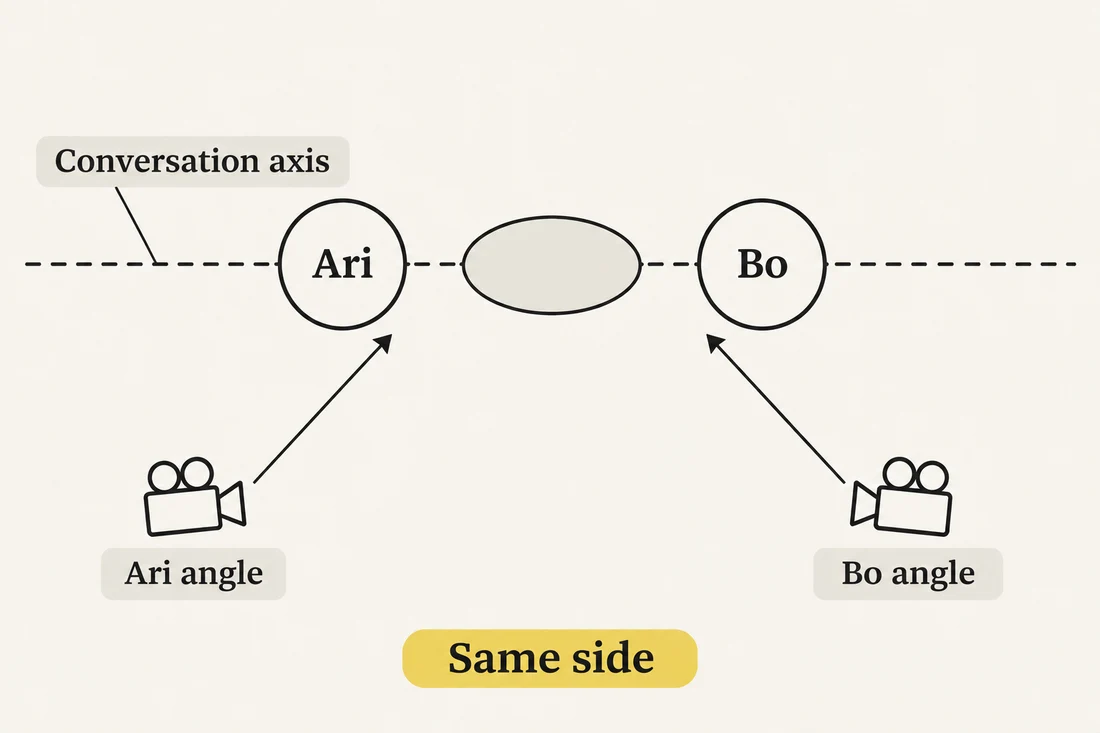
A shot reverse shot alternates between a character and the person or subject they are looking toward. In this example, the first close view favors Ari, then the reverse favors Bo. The audience should understand that these are two views of one exchange, rather than two unrelated portraits.
Draw a line between Ari and Bo on a simple overhead sketch. Put the planned camera positions on the same side of that line. Adobe's 180-degree rule guide explains this approach to maintaining spatial continuity. Crossing the line can be an intentional storytelling choice, but it adds a change of orientation that this first exercise does not need.
Prepare one wide reference showing the seating arrangement. It should establish which person occupies each chair, where the table sits, and what belongs behind each person. Keep the set sparse so you can inspect those relationships easily. A window behind Ari and a plain wall behind Bo are enough to distinguish the two sides.
Describe screen direction as well as character identity
For these complementary angles, Ari looks toward screen right and Bo looks toward screen left. “Ari looks at Bo” explains the story, but the screen direction gives you a visible result to check. Adobe's shot-reverse-shot explanation discusses opposite eyeline directions and backgrounds that agree with the established scene.
Keep a short shot plan:
| View | Framing and position | Gaze | Background cue |
|---|---|---|---|
| Wide reference | Both people seated across the table | Toward each other | Window on Ari's side, plain wall on Bo's side |
| Ari angle | Ari in the left part of a medium close view | Screen right, toward Bo offscreen | Window area behind Ari |
| Bo angle | Bo in the right part of a medium close view | Screen left, toward Ari offscreen | Plain wall behind Bo |
Keep headroom and the apparent camera height similar for the two close views. If one camera looks sharply down while the other looks up, the cut may imply a different height relationship. That can be expressive when planned; here, the seated exchange calls for a simpler match.
Prepare two opening frames
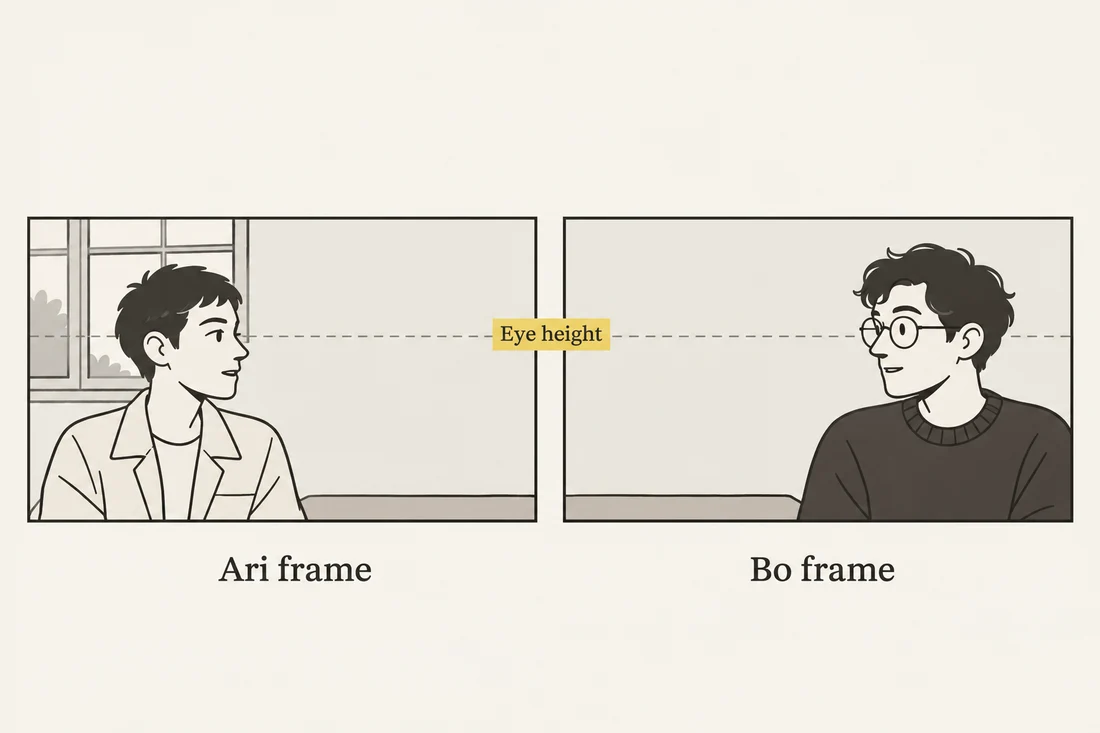
Create the wide reference in NanoAI's image workbench, or begin with an approved reference you already have. Then use Image Edit with an editing-capable model to attempt each closer composition. Check the selected model's available reference controls and displayed cost before generating.
Use the wide scene to guide the setting and arrangement. If a separate character reference is supported and useful, state that it supplies appearance. The multi-reference image guide explains how to keep those roles distinct. Judge each new view against the approved references rather than assuming a camera-angle instruction preserves every detail.
For Ari's opening image, adapt this brief:
Create a medium close view of Ari from the established table scene. Place Ari in the left part of the frame, facing and looking toward screen right at Bo, who is offscreen. Keep Ari's short cropped hair and light jacket. Use a seated eye-level view with comfortable headroom. Show the window area belonging behind Ari. Keep the table edge low in the composition and retain the established soft light and visual style.
For Bo's reverse, change the subject and geometry deliberately:
Create the complementary medium close view of Bo in the same table scene. Place Bo in the right part of the frame, facing and looking toward screen left at Ari, who is offscreen. Keep Bo's round glasses and dark sweater. Match the seated eye-level framing, apparent portrait size, and soft visual style of Ari's angle. Show the plain wall belonging behind Bo. Keep the table edge low in the composition.
Approve the pair before requesting motion
Put the two stills beside each other at the same display size. Check faces, gaze, camera height, and room layout. Leave a little space in the direction each person looks. If both people face the same screen edge, correct the mismatched still before animating it.
Check the background as part of the geography. The reverse view should reveal the part of the room behind Bo, rather than simply copy the window from Ari's portrait. Similar lighting and color help the shots belong together, but identical scenery behind both people may contradict the wide reference.
Begin with clean singles, where the other person's shoulder is outside the frame. Once those angles work, an over-the-shoulder composition can add a foreground presence. That extra shoulder needs its own checks for identity, scale, and placement. The character consistency guide covers appearance checks beyond the eyeline task here.
Animate and review the cut
Open NanoAI's video generator, choose Image to Video, and supply Ari's accepted frame as the opening image. Select the available model, duration, and image shape for your shot. Review the displayed cost, then request one small action with a fixed camera.
For Ari's shot:
Locked camera and fixed framing. Ari keeps looking toward screen right at the seated partner offscreen, then slightly raises the eyebrows and holds. Natural small breathing movement. Keep the head mostly in the established orientation.
For Bo's reverse:
Locked camera and fixed framing. Bo keeps looking toward screen left at the seated partner offscreen, gives one small nod, and settles. Keep the head mostly in the established orientation.
Runway's image-to-video prompting guide separates the opening image's composition from the text prompt's motion instructions. Apply that distinction here: prepare the view in the still, then describe the visible action. A large head turn or camera orbit introduces more spatial change than this reaction pair needs.
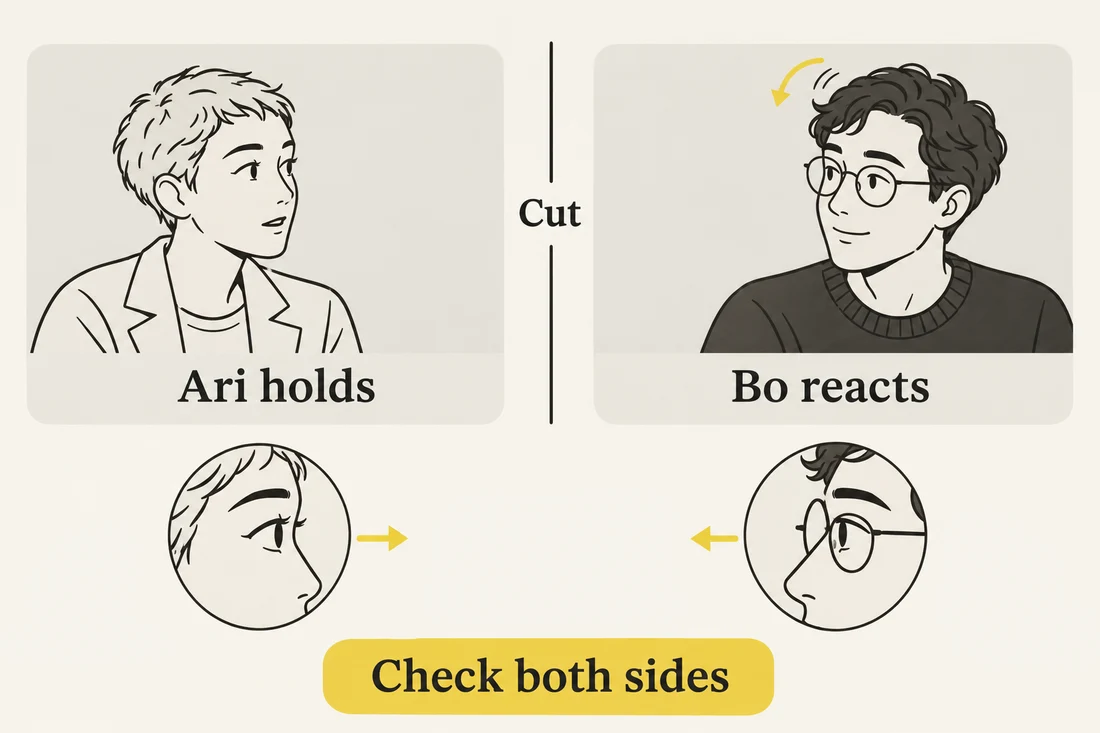
Download each candidate and put the clips next to one another in your video editor. Start with a straight cut from Ari's held expression to Bo's response. Move the edit point until there is enough time to read the first expression and the reaction feels connected. The generated clip length is available material; you can use a shorter portion in the finished scene.
Review the pair in three passes:
- At the cut: compare Ari's final used frame with Bo's first used frame. Check complementary gaze, portrait scale, and the seated height relationship.
- Through each clip: watch for a look toward the camera, a head turning away, a changing background, or an identity shift between the frames you sampled.
- At ordinary playback speed: ask whether the response feels directed at Ari. An attractive pair of portraits can still leave their relationship unclear.
If the stills already disagree, return to the frame preparation. If a correct opening drifts during motion, try a smaller action or use an earlier segment that stays coherent. Adjust the one shot that fails, keeping the accepted partner view as the comparison. Save the wide reference, both opening images, prompts, and selected clips together so a replacement follows the same plan.
Frequently asked questions
Why do both AI characters appear to look away from each other?
Their screen directions may not complement one another, or the room geometry may have changed. Compare the opening stills with your wide reference and correct the misplaced view before generating more motion.
Do I need over-the-shoulder shots for shot reverse shot?
No. Complementary singles can show the exchange. Over-the-shoulder views add the partner in the foreground and require additional placement and continuity checks.
Can I horizontally flip a wrong angle to fix it?
A flip changes every visible feature, including text, asymmetrical clothing, and the room layout. Use it only after checking those consequences; preparing the intended angle is often clearer.
Will an opening image keep the eyeline fixed for the whole clip?
It supplies the starting composition. Review the motion for gaze and head turns, and choose a smaller action or a different take when the direction changes unintentionally.
Plan one exchange, prepare its two opening frames, and animate a restrained reaction for each angle. Approve the cut as a pair before adding more coverage.